AKÜ Student Email and Password Procedures Guide
This guide outlines the steps for Afyon Kocatepe University students to create, change, and reset forgotten passwords in order to access the wireless internet (eduroam) and institutional email services.
1. Obtaining a Password for the First Time and Creating an Email Account
-
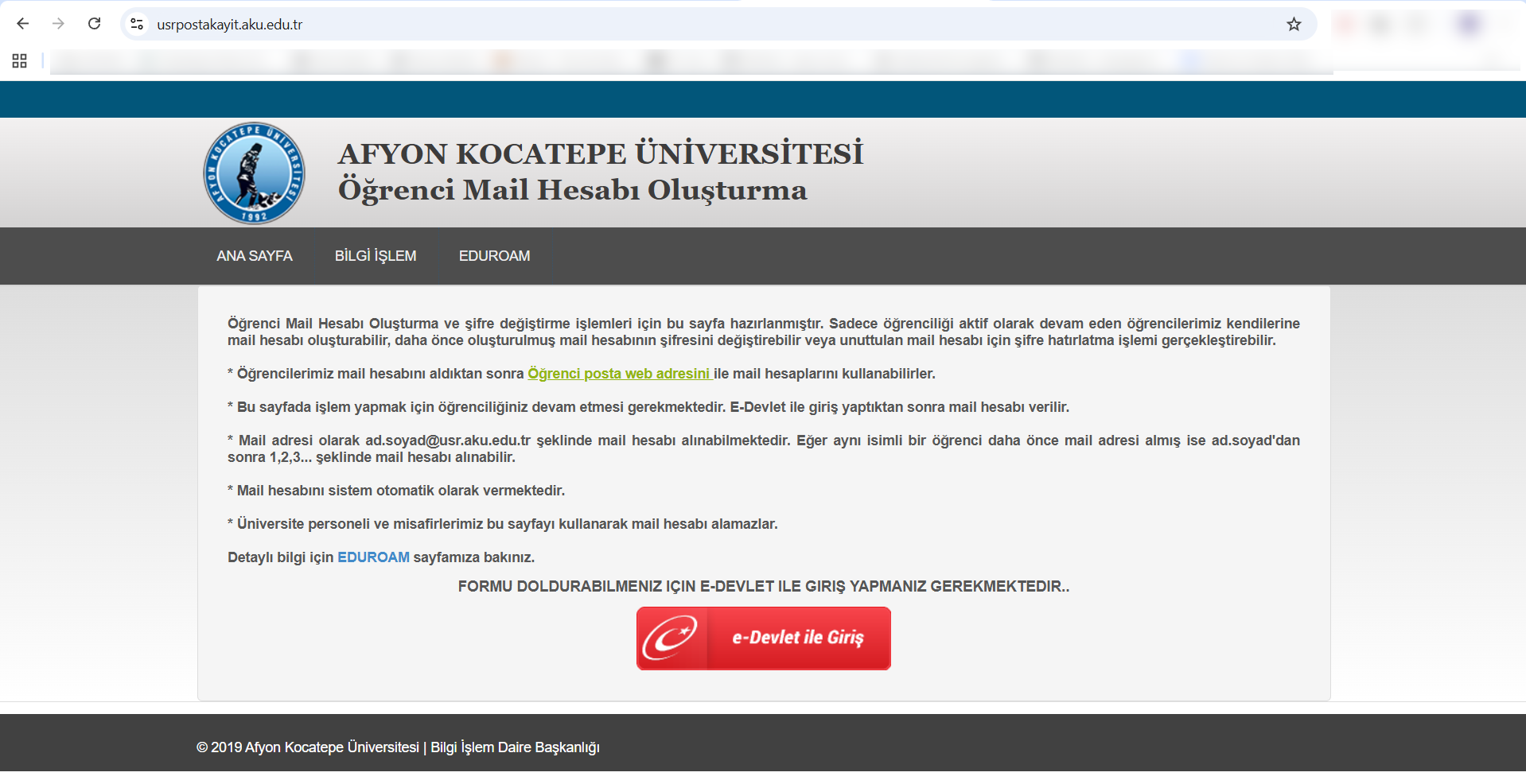
Log in to the usrpostakayit.aku.edu.tr page from your browser.
-
Click the red "Log In with e-Devlet" button on the screen to complete your identity verification.
-
After logging in, the system verifies your student status and automatically sets your institutional email address in the format ad.soyad@usr.aku.edu.tr.
-
On this screen, you can set your password for the first time to complete the email registration and activation process.
2. Resetting a Forgotten Password and Instant Renewal
- Instant Update: If you forget your password or encounter a login error, simply visit usrpostakayit.aku.edu.tr each time and log in using e-Devlet.
-
Quick Change: Thanks to e-Government identity verification, your password on the system is instantly updated and reset.
-
Alternative Email Notification: Information regarding newly created or reset passwords is automatically sent immediately to the alternative (personal) email address registered in the system.
3. Changing Your Password via Zimbra Webmail
If you know your current password and wish to set a new one on your own, you can follow these steps without needing to use the e-Government system:
-
Log in to your institutional student email account via usr.aku.edu.tr.
-
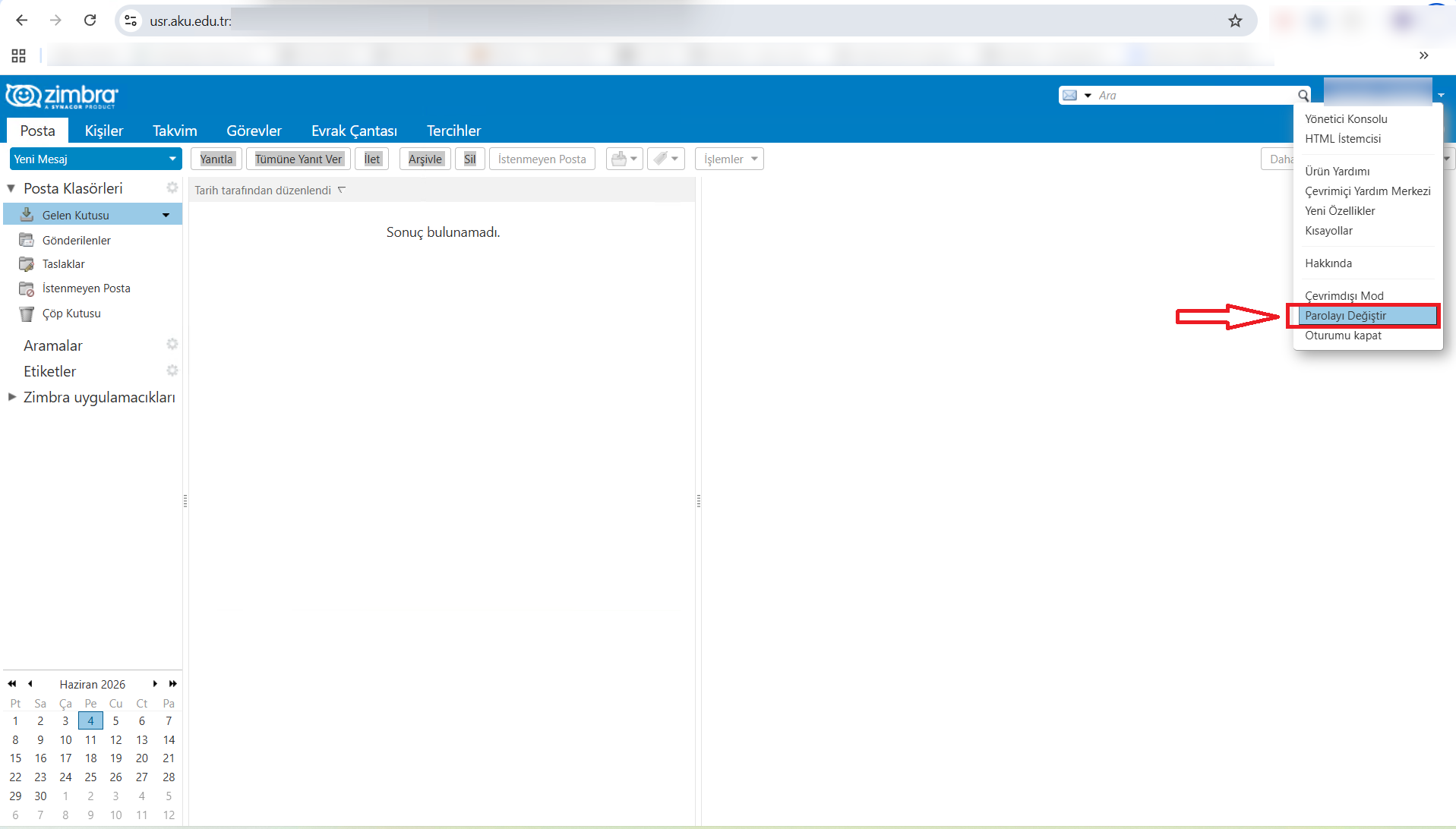
Click the drop-down menu in the upper-right corner of the screen that displays your username (your email address).
-
Click the "Change Password" option in the menu.
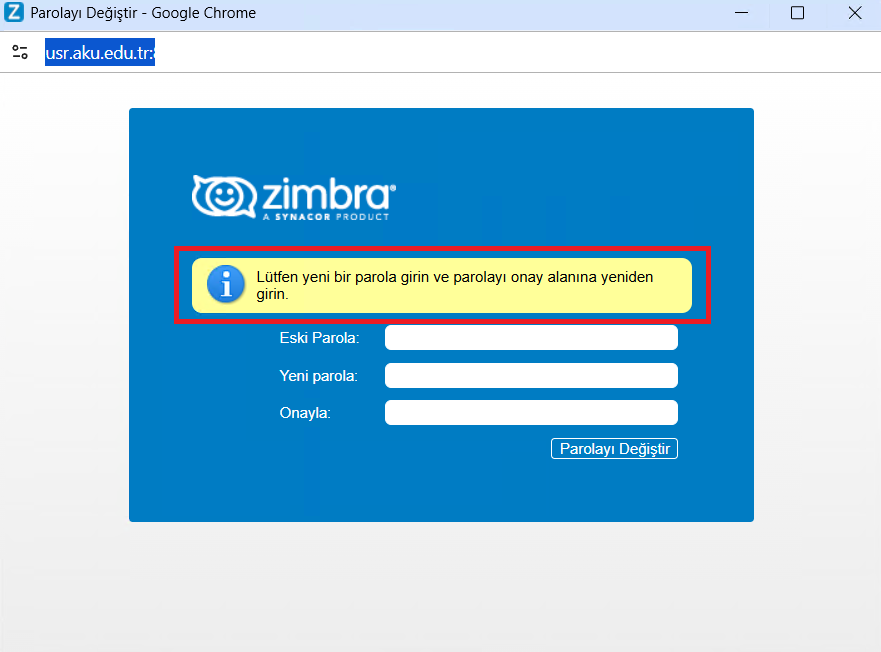
- In the Zimbra window that opens, fill in the "Old Password," "New Password," and "Confirm" fields in that order, then click the "Change Password" button.
🔒 Mandatory Password Policy Rules
. It must be at least 8 characters long.
. It must contain at least one uppercase letter.
. It must contain at least one lowercase letter.
. It must contain at least one number.
. It must contain at least one special character (e.g., ., *, -, ?, _, etc.).