Staff Email Registration and Password Reset Guide
This guide has been prepared to help newly hired staff obtain an email address and to help current staff reset their email passwords.
E-MAIL APPLICATION FOR NEWLY APPOINTED STAFF
Newly hired staff must follow the steps below to obtain a university email address:
-
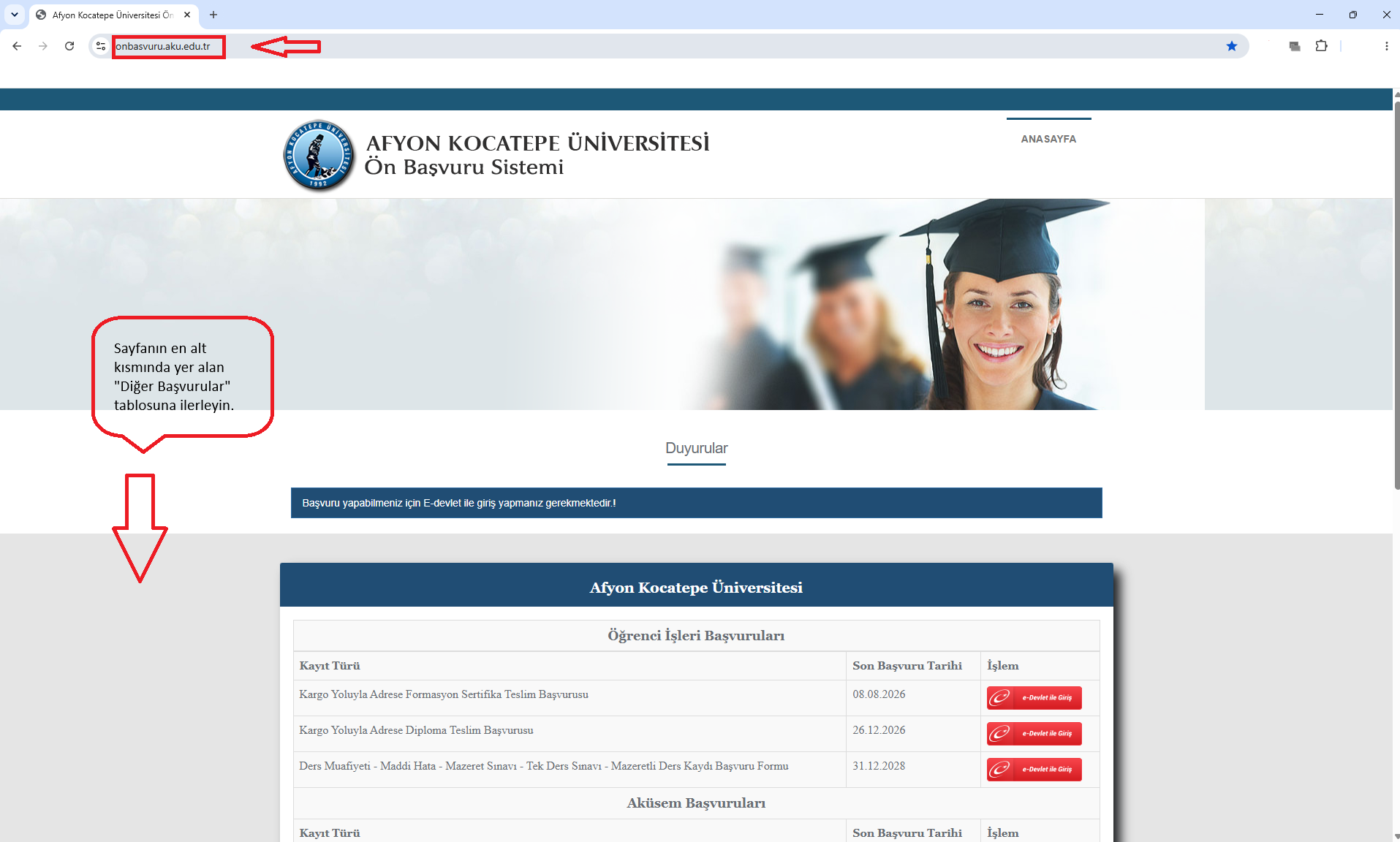
System Login: Please log in via onbasvuru.aku.edu.tr.
-
Find the Menu: .
-
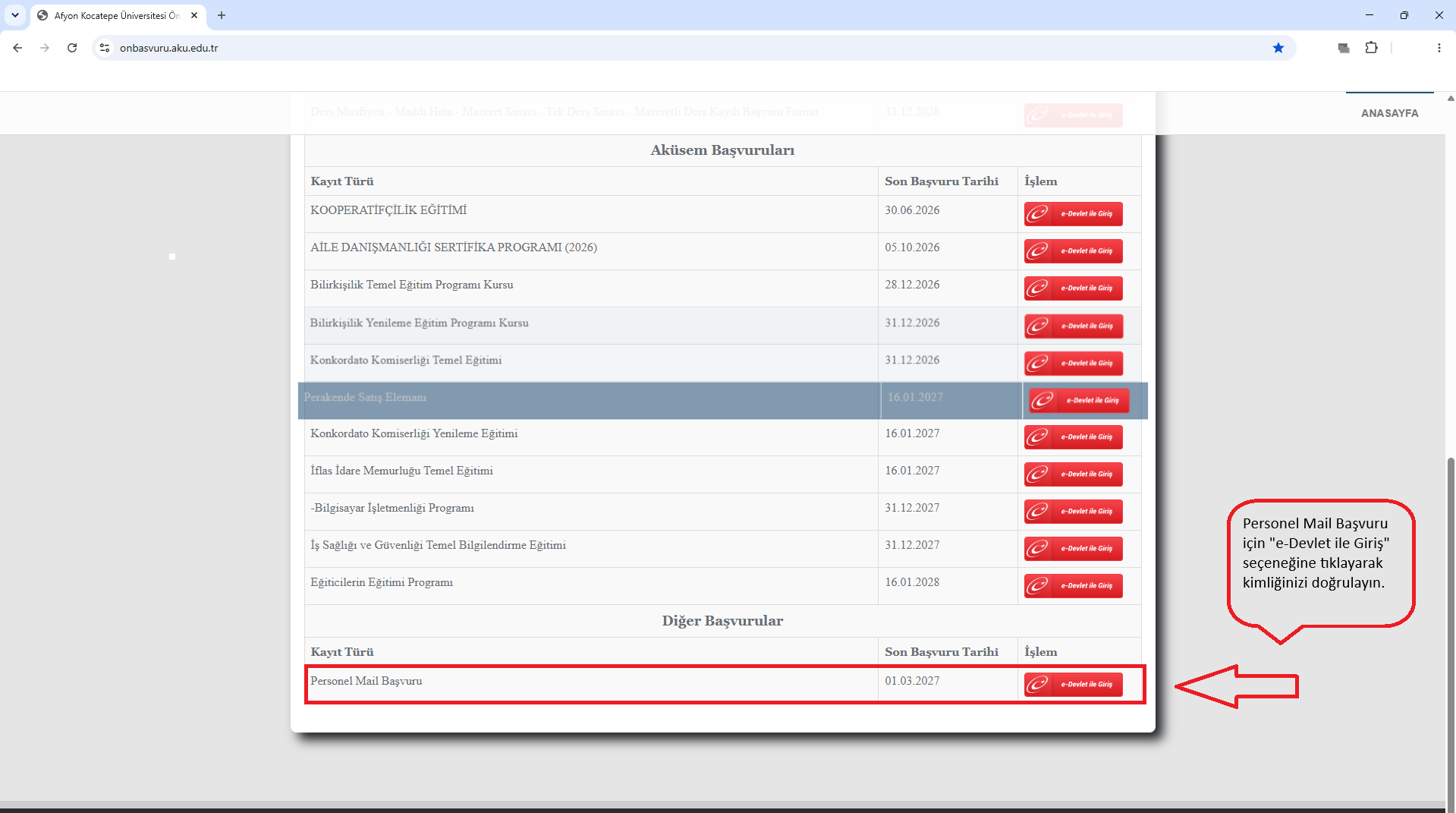
Application Type: Locate the "Staff Email Application" row in the table.
-
Authentication: Verify your identity by clicking the "Log In with e-Government" option.
-
Confirmation: Complete the on-screen prompts to finalize your email application.
Email Application Screenshots
RESETTING A FORGOTTEN EMAIL PASSWORD
The steps that current staff members should follow if they forget their email password are as follows:
-
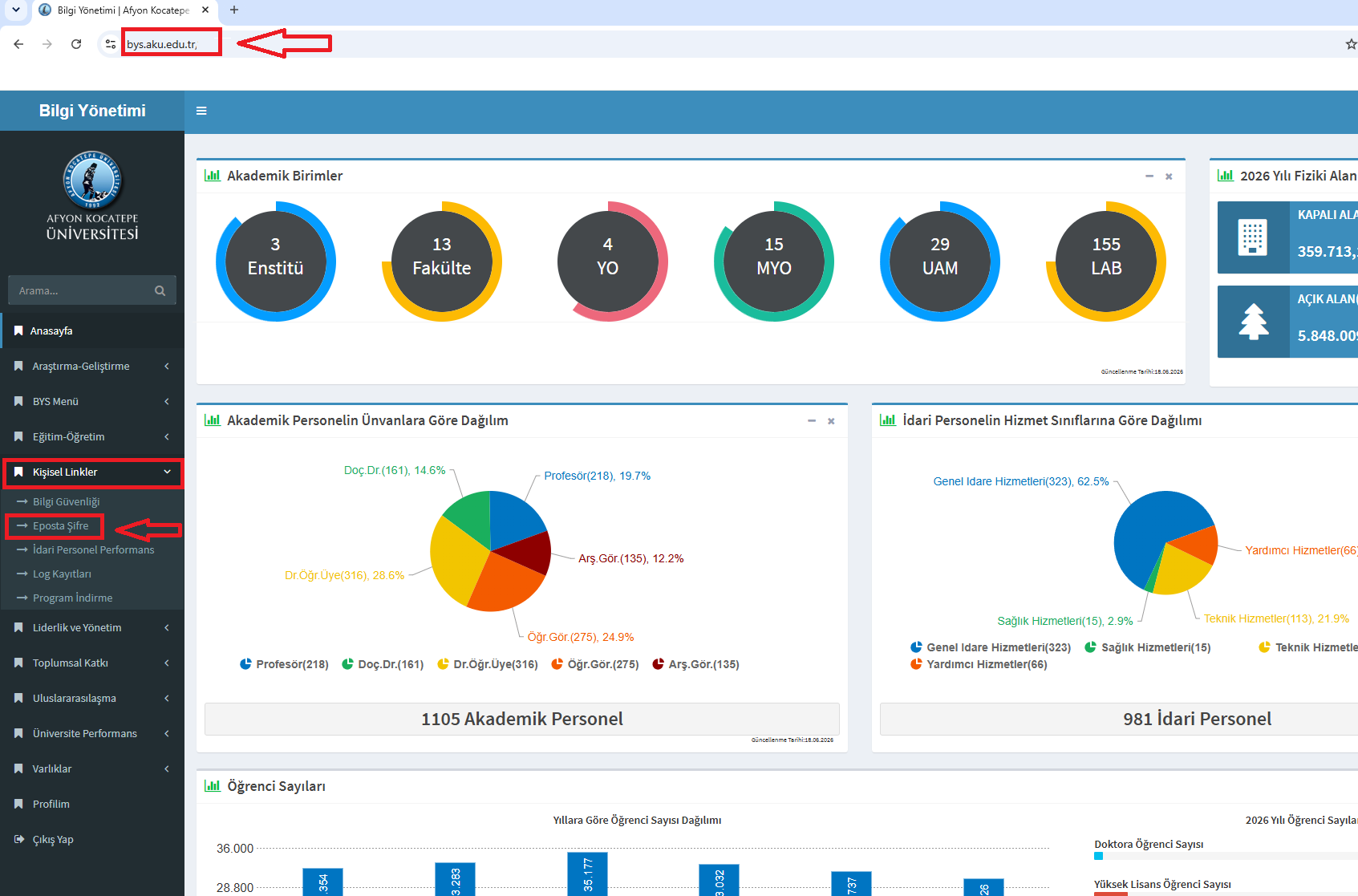
Logging In: Go to bys.aku.edu.tr and log in with your BYS credentials.
-
Menu Selection: Click the "Personal Links" tab in the menu on the left.
-
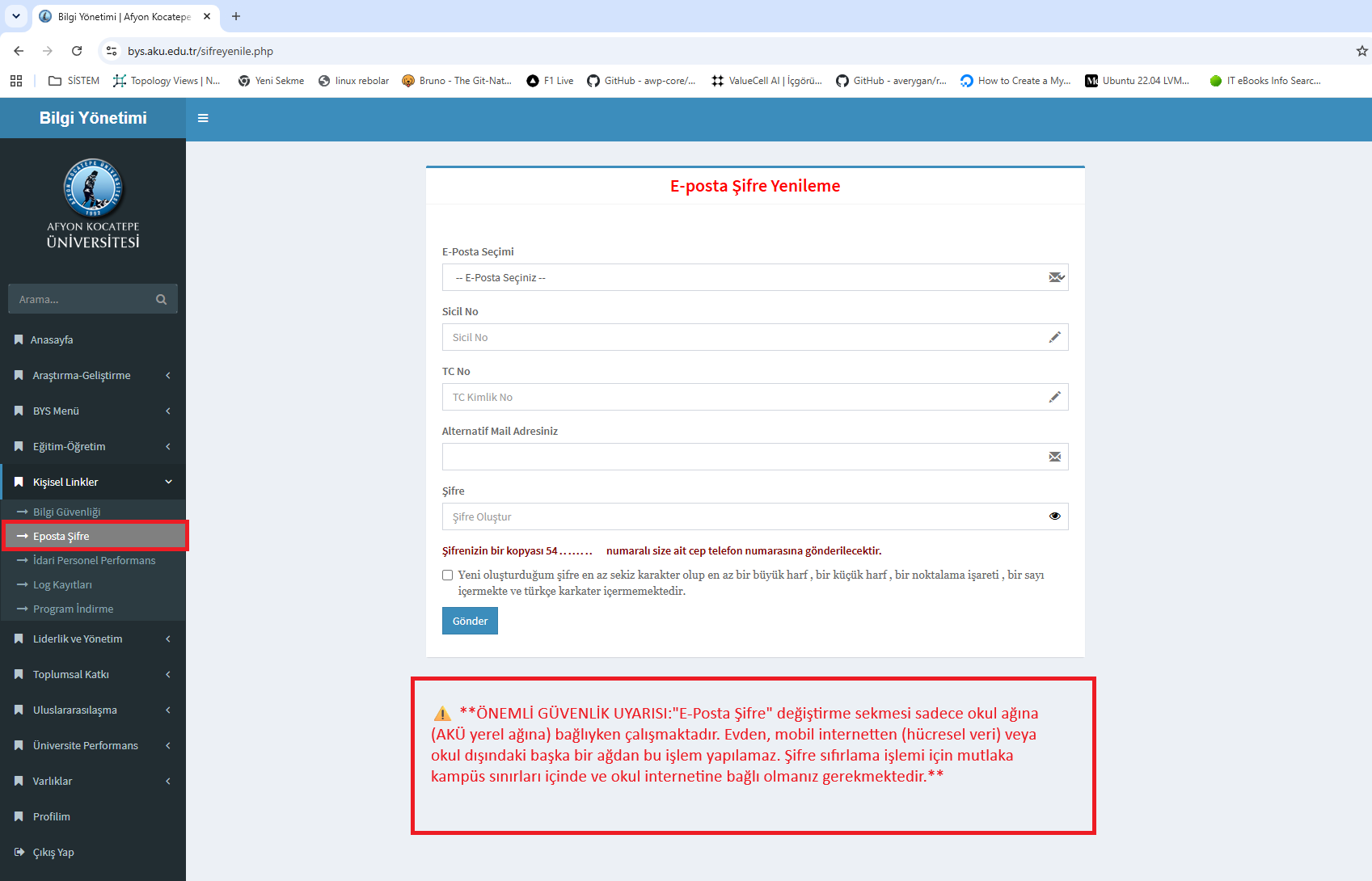
Password Screen: Select the "Email Password" option from the drop-down menu.
-
Data Entry: Fill out all required information in the window that appears on the screen.
-
Update: Confirm the process by setting your new password.
⚠️ IMPORTANT SECURITY WARNING: The "Change Email Password" tab only works when you are connected to the campus network (AKÜ local network). This operation cannot be performed from home, via mobile internet (cellular data), or from any network outside the university. You must be within the campus boundaries and connected to the university network to reset your password.
Email Password Reset Image