Android Setup
Setup with geteduroam
- Download the geteduroam app from Google Play.
- Open the application.
- Search for and select Afyon Kocatepe University as the institution.
- Enter your username in full.
- Enter your password.
- Allow the app to add the Wi-Fi configuration.
- Select the eduroam network from the Wi-Fi list.
Setup with geteduroam (Video)
Manual Setup
If geteduroam cannot be used due to the Android version or the manufacturer’s interface, the following settings can be tried:
| Settings | Value |
|---|---|
| Network name | eduroam |
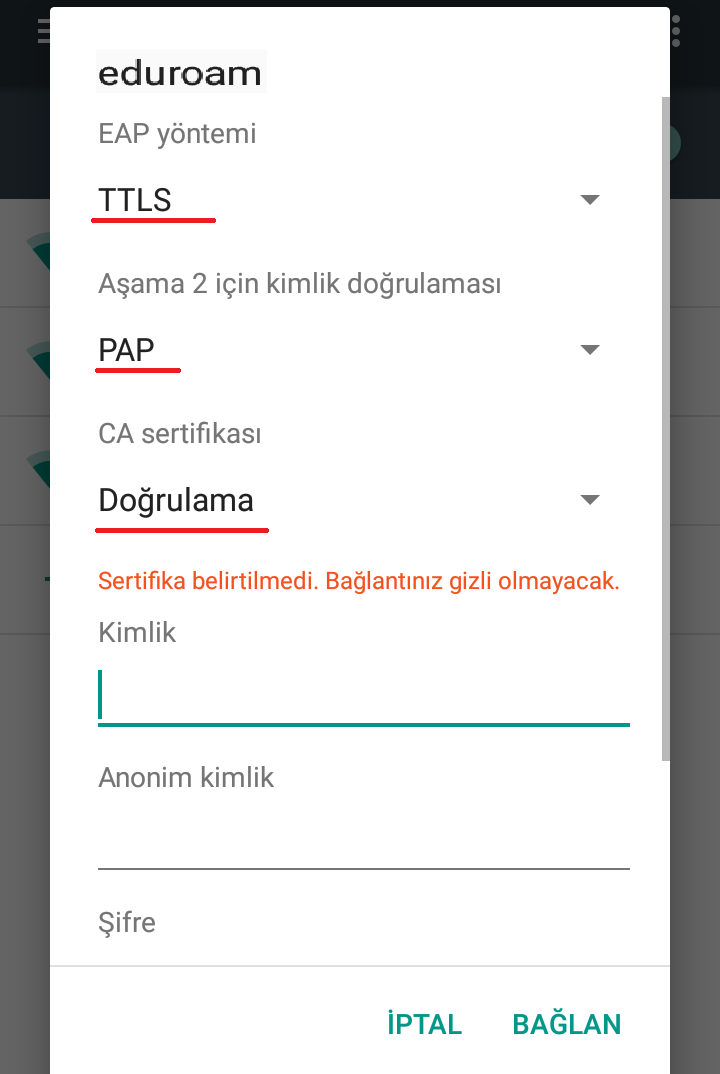
| EAP method | TTLS |
| Step 2: Authentication | PAP |
| CA certificate | The CAT/geteduroam profile is recommended |
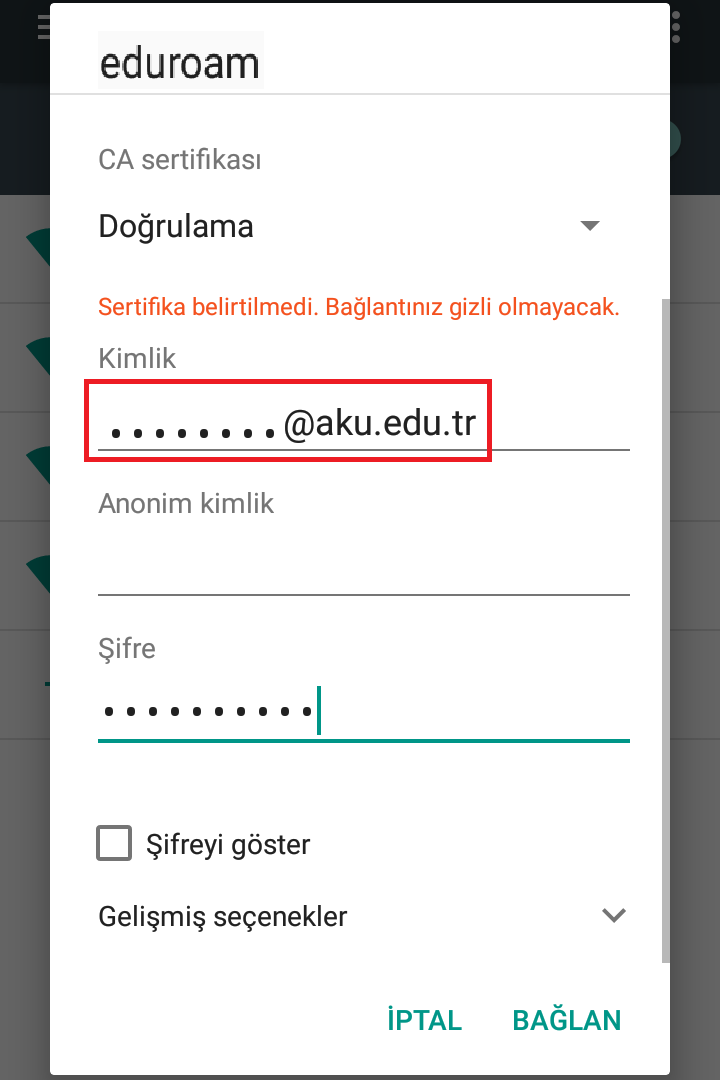
| Identity | Your AKÜ username |
| Anonymous identity | May be left blank |
| Password | Your AKÜ password |
Certificate Warning
Disabling certificate verification on Android is not secure. If your device supports it, use the geteduroam or CAT profile.
Installation Images
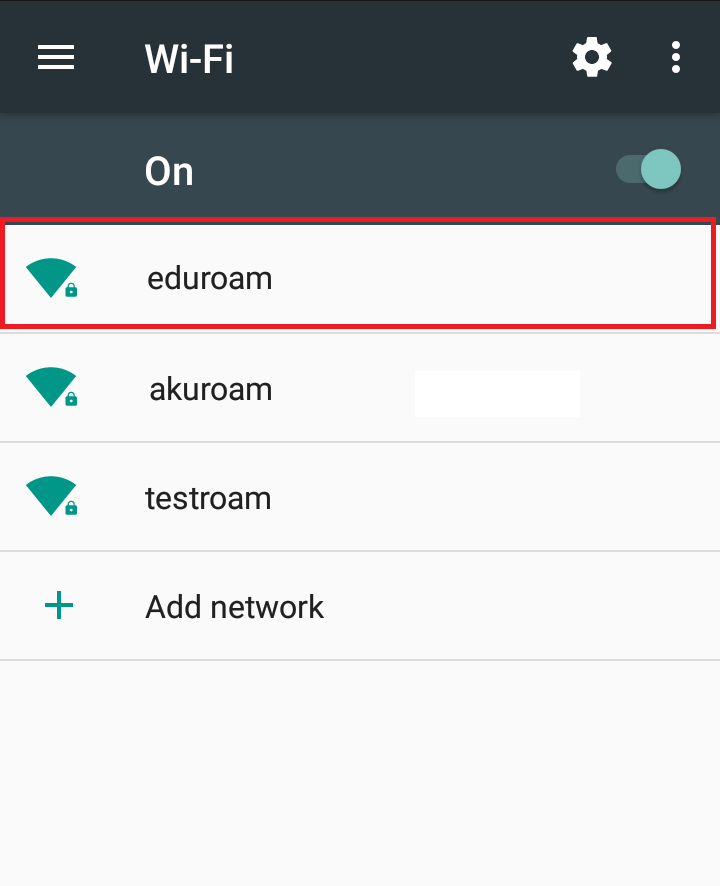
Advanced Options
On the page that opens:
EAP Management => “TTLS”
Phase authentication => “PAP”
Set the CA Certificate to “Validation.”
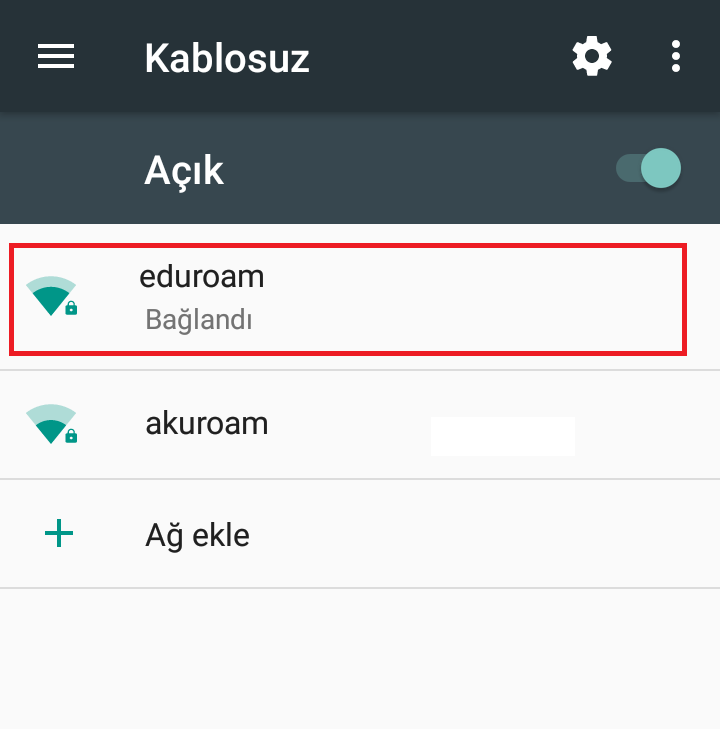
If you encounter connection issues, first delete the old profile, then try the setup again.