iPhone and iPad Setup
Setup using the CAT profile
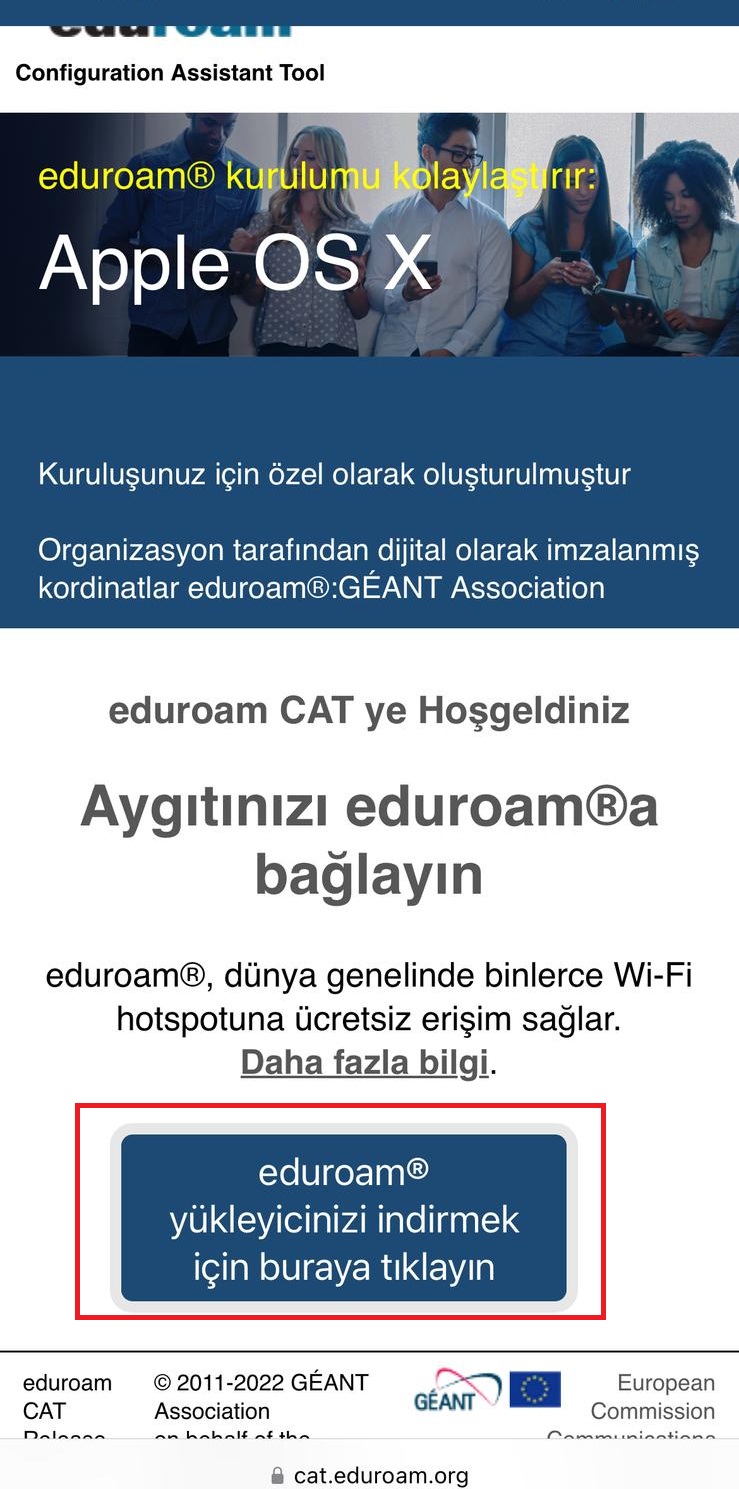
- On your iPhone or iPad, open Safari and go to cat.eduroam.org.
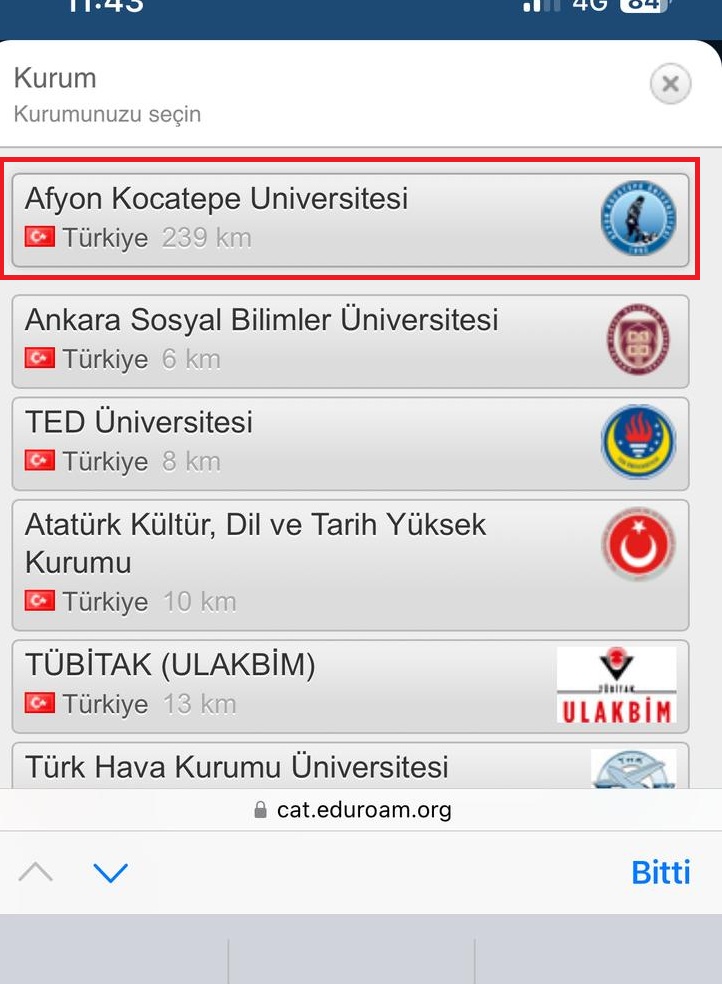
- Select Afyon Kocatepe University as the institution.
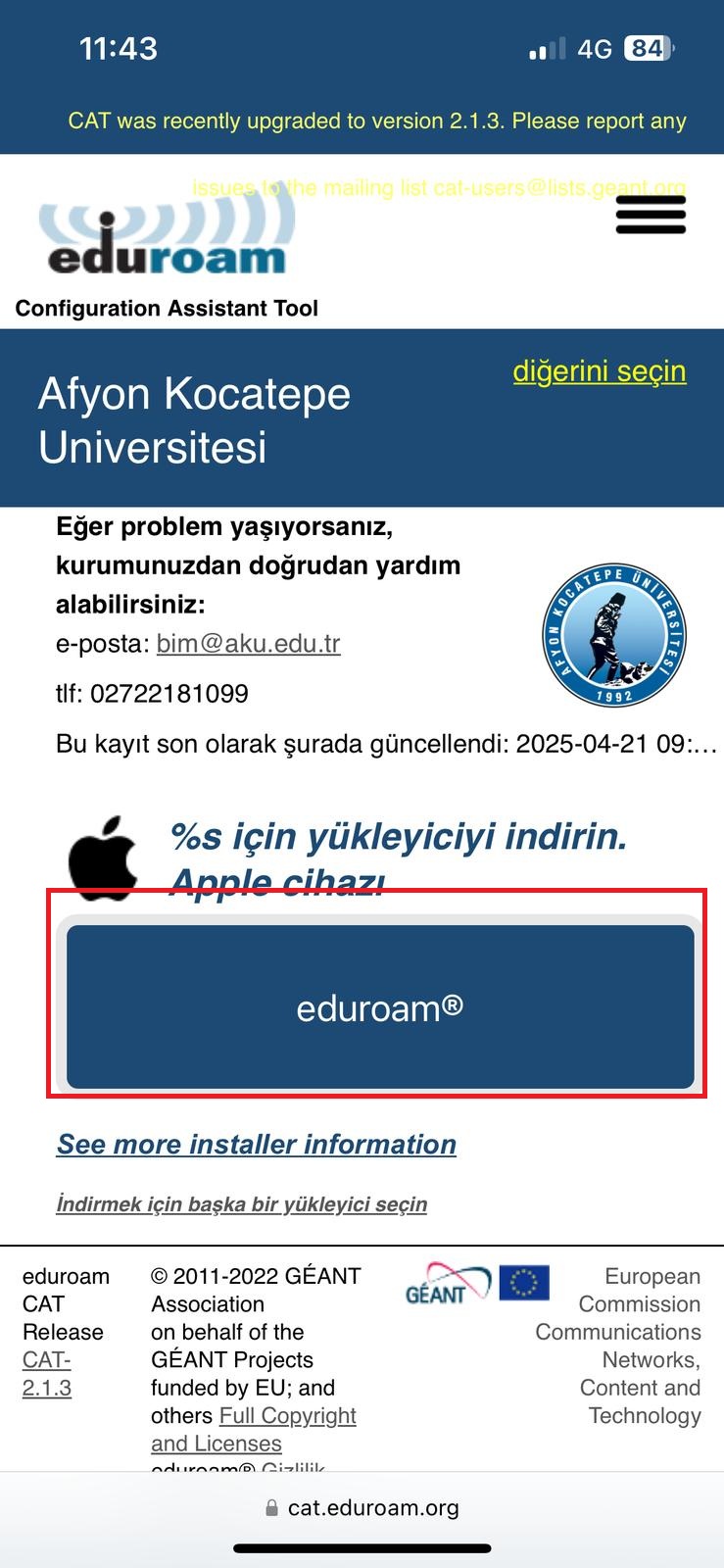
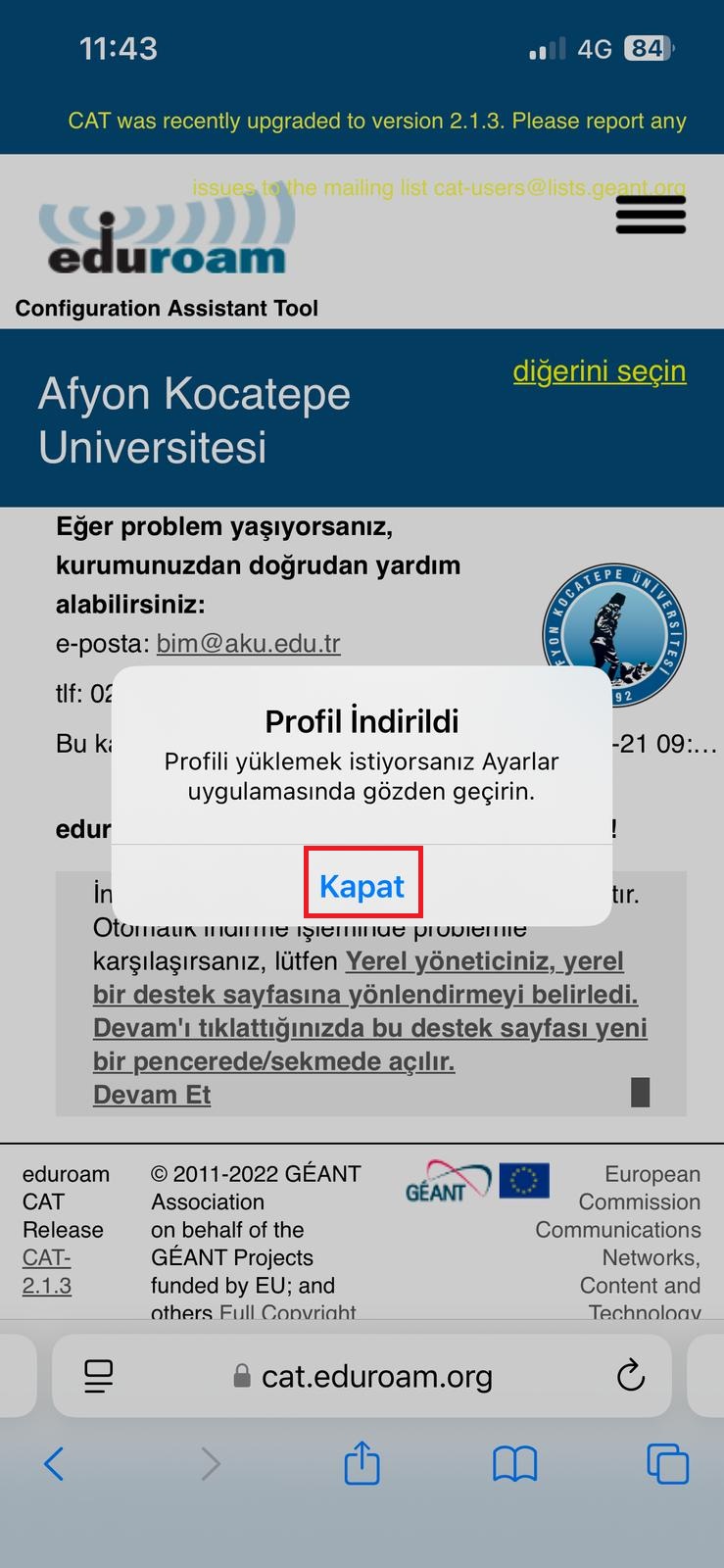
- Download the Apple device profile.
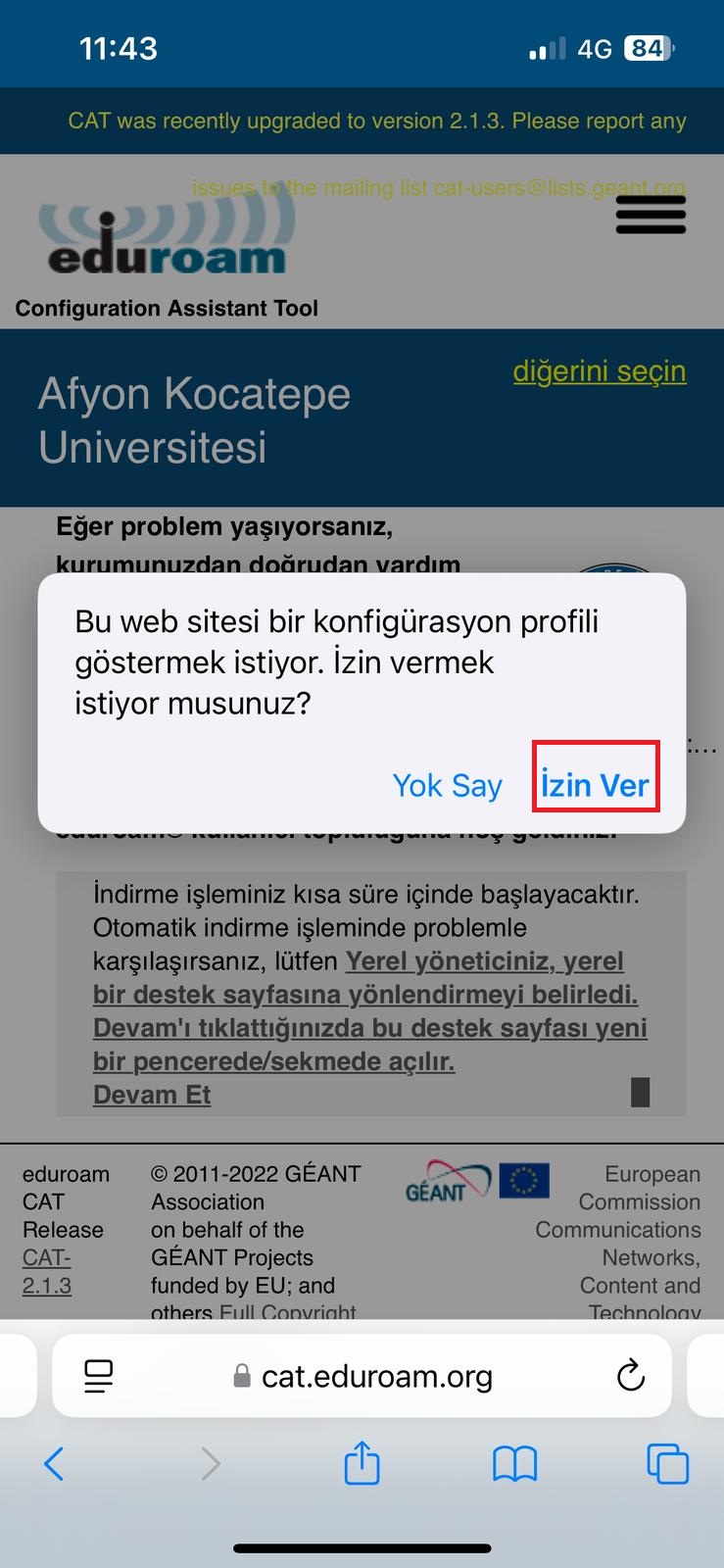
- Click the Allow button to approve the download of the profile.
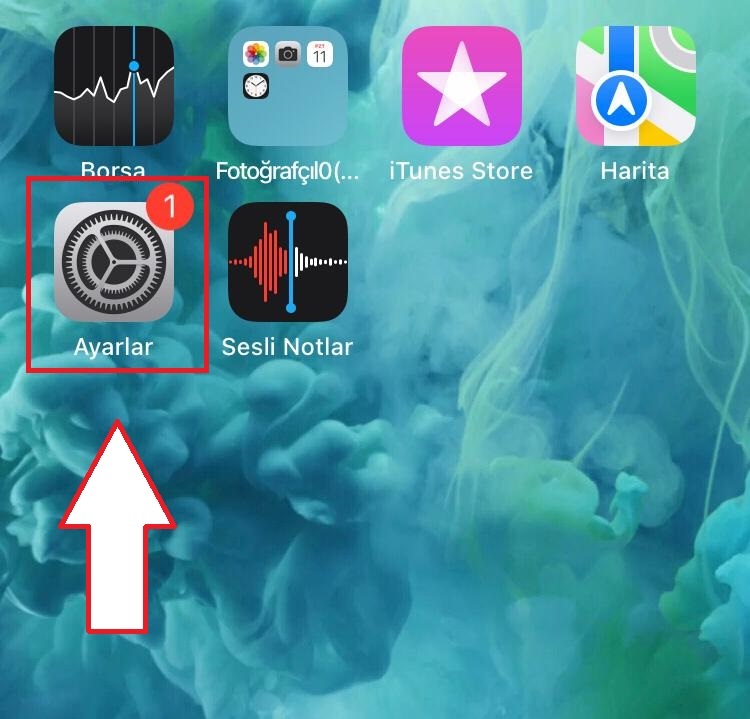
- Open the Settings app.
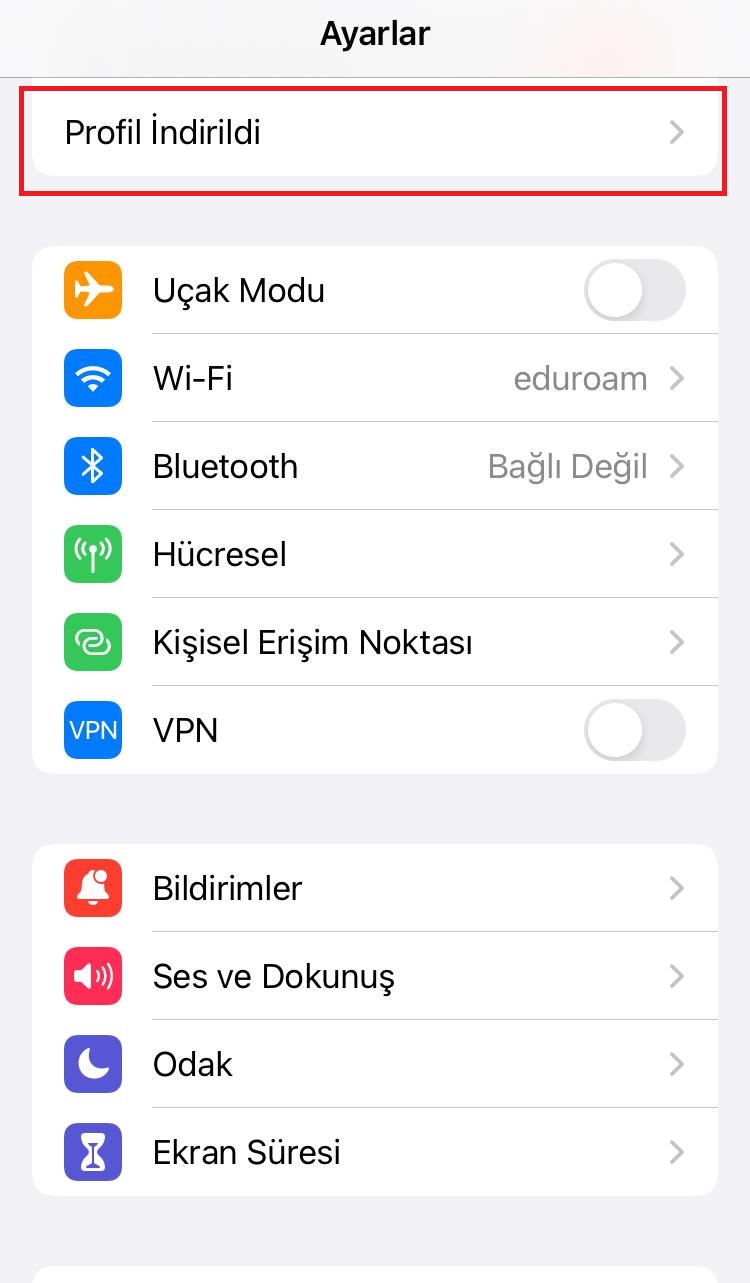
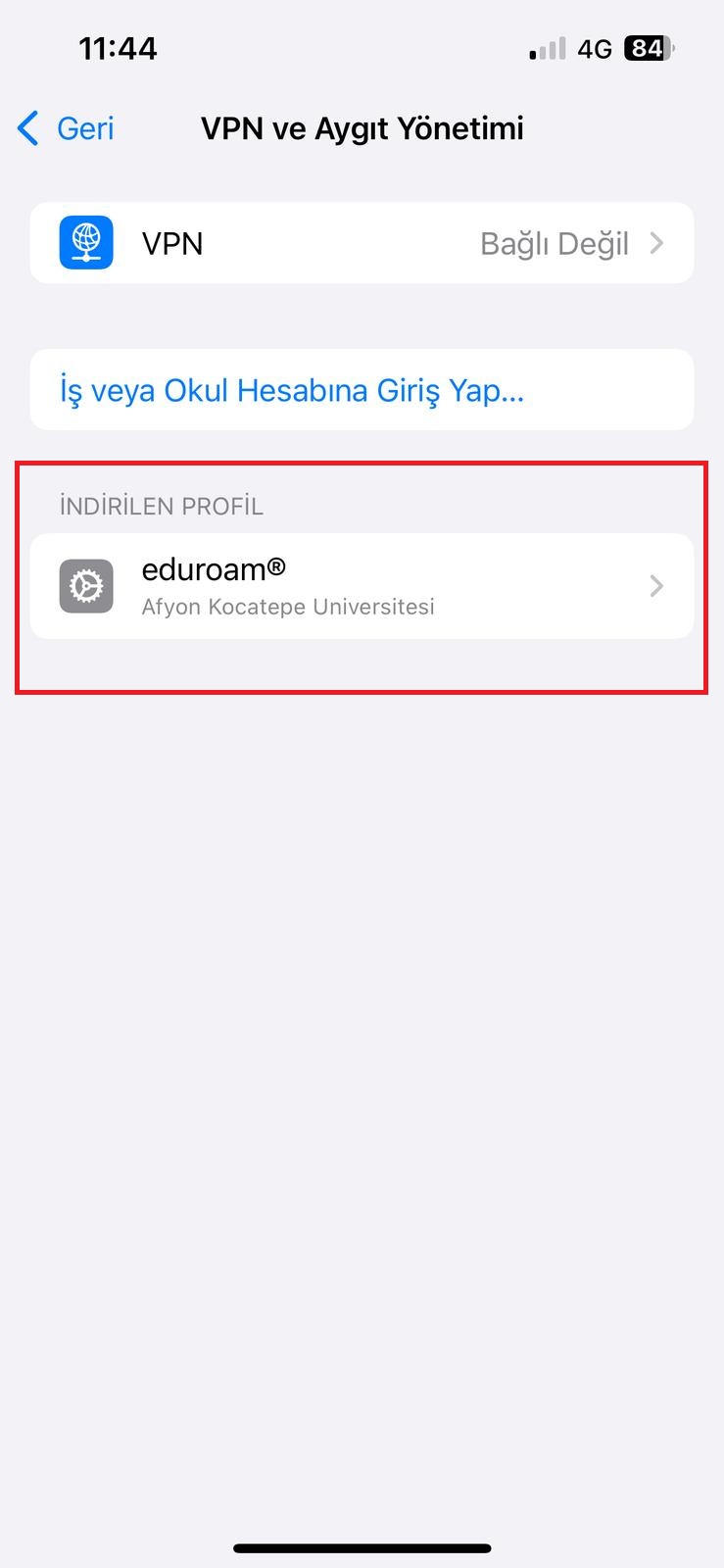
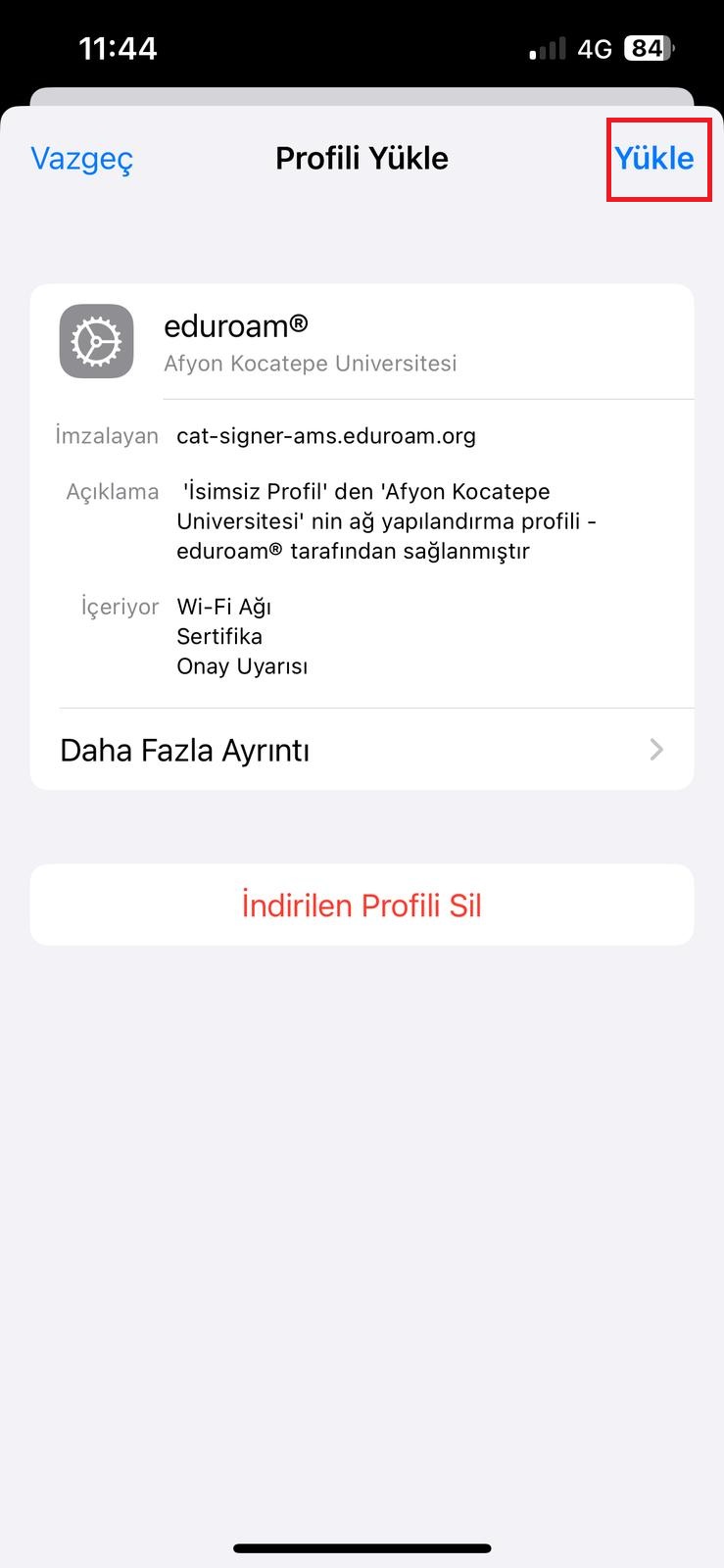
- Go to the Profile Downloaded section shown above.
- Click the Download button.
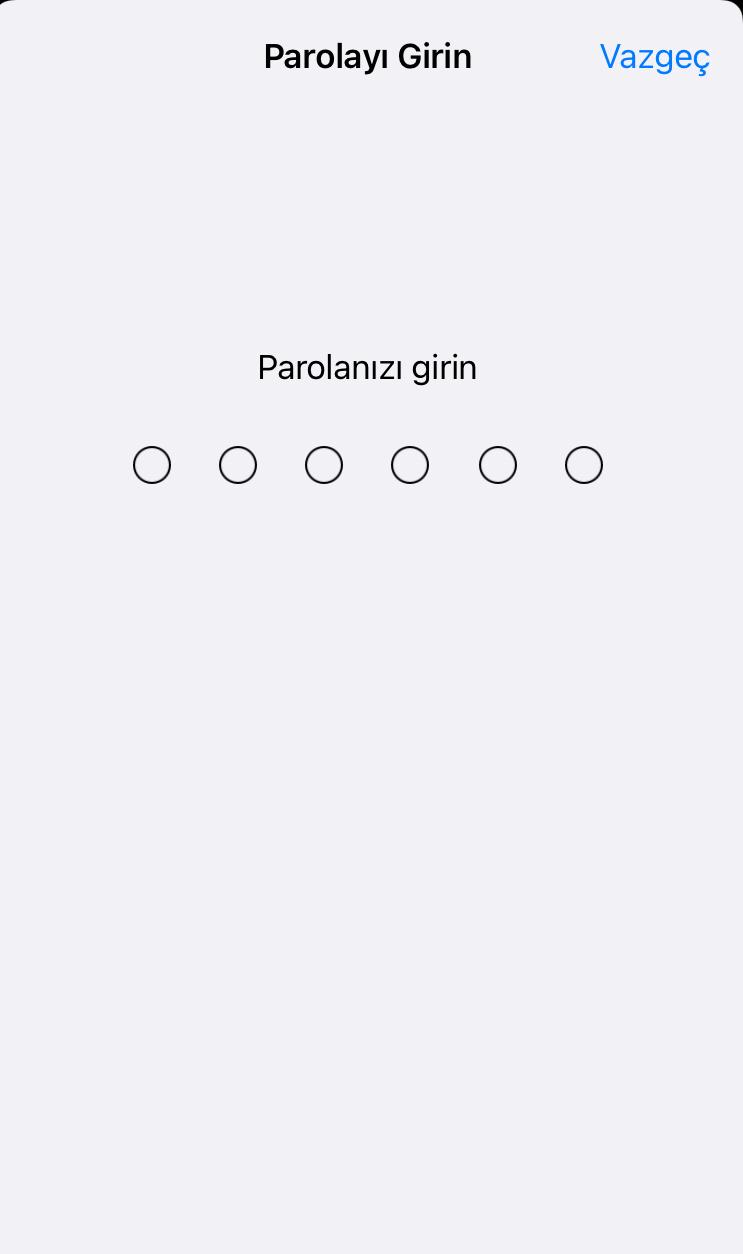
- Enter your device password.
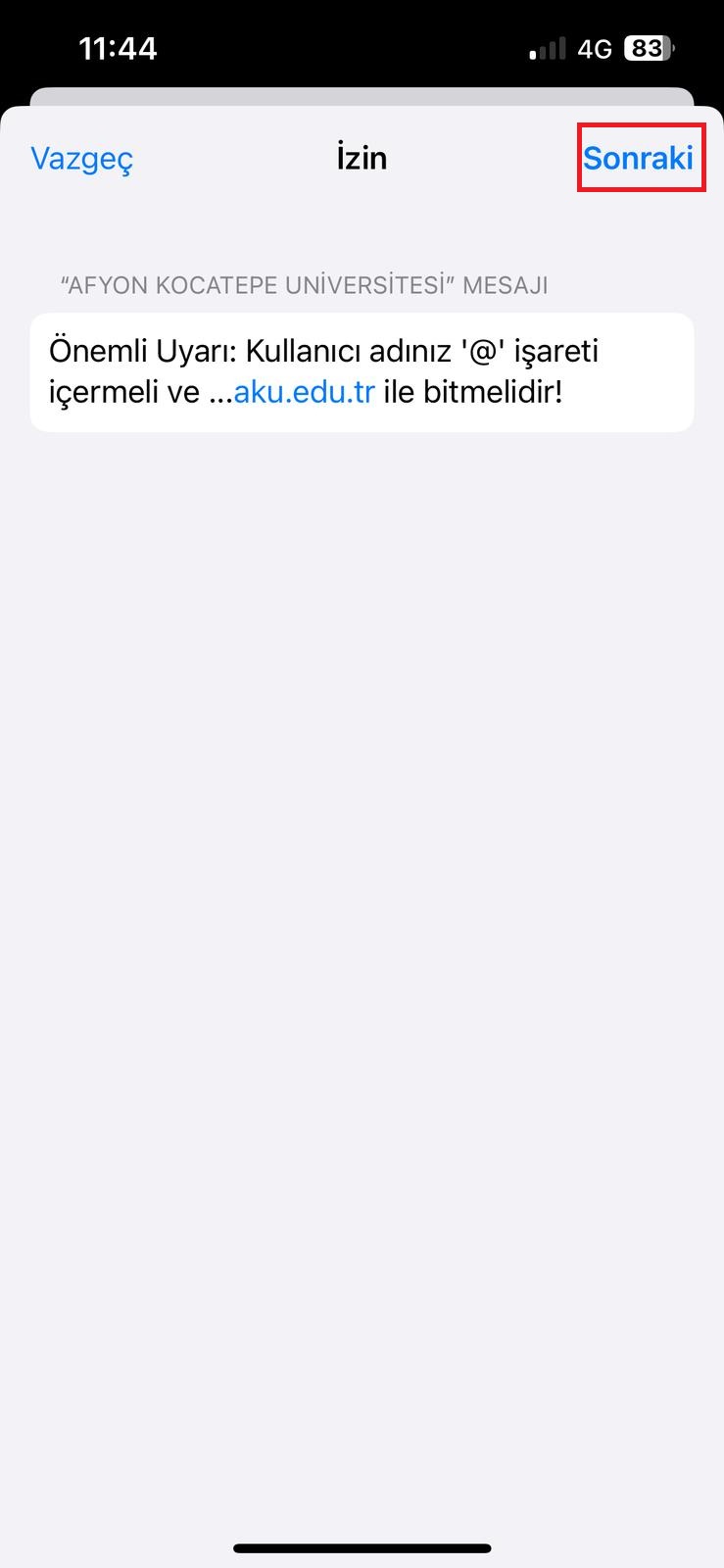
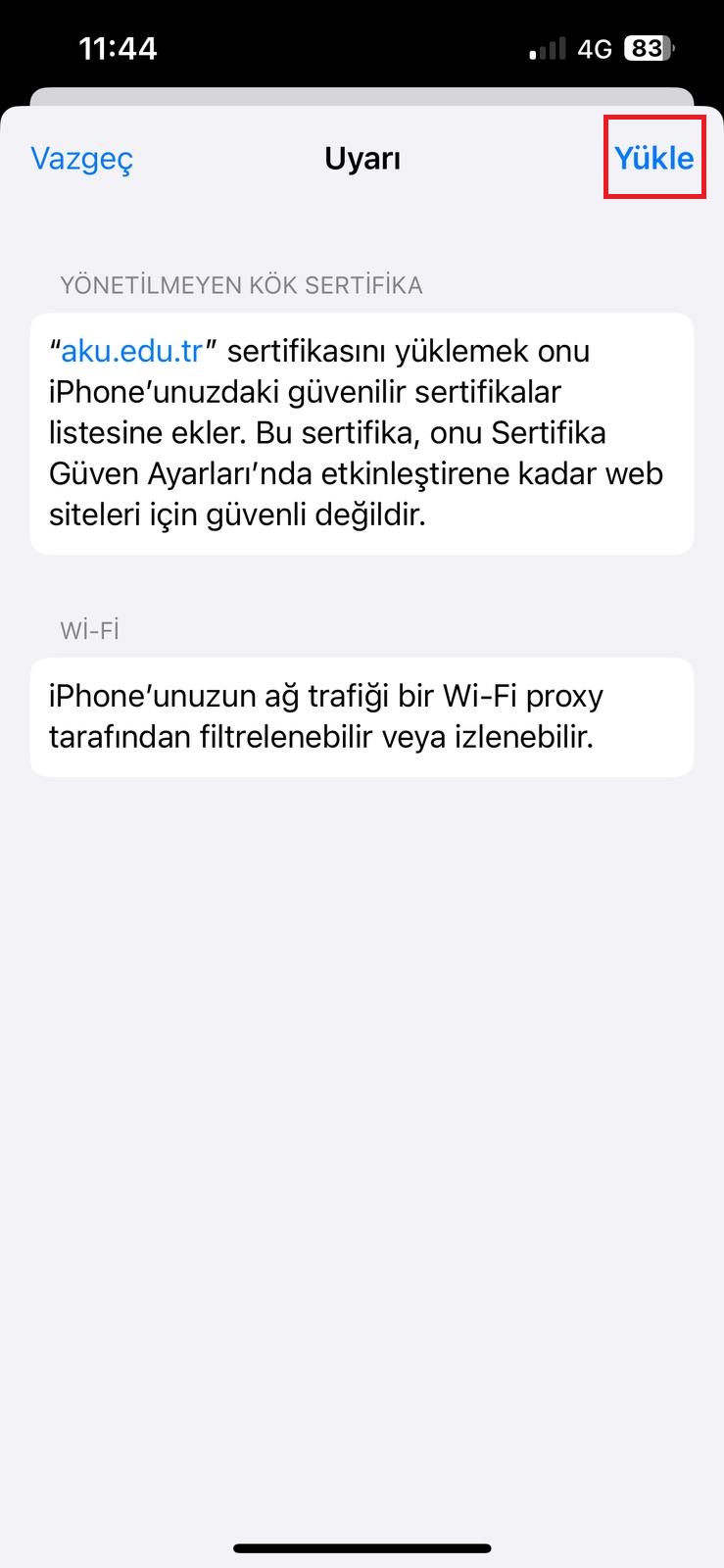
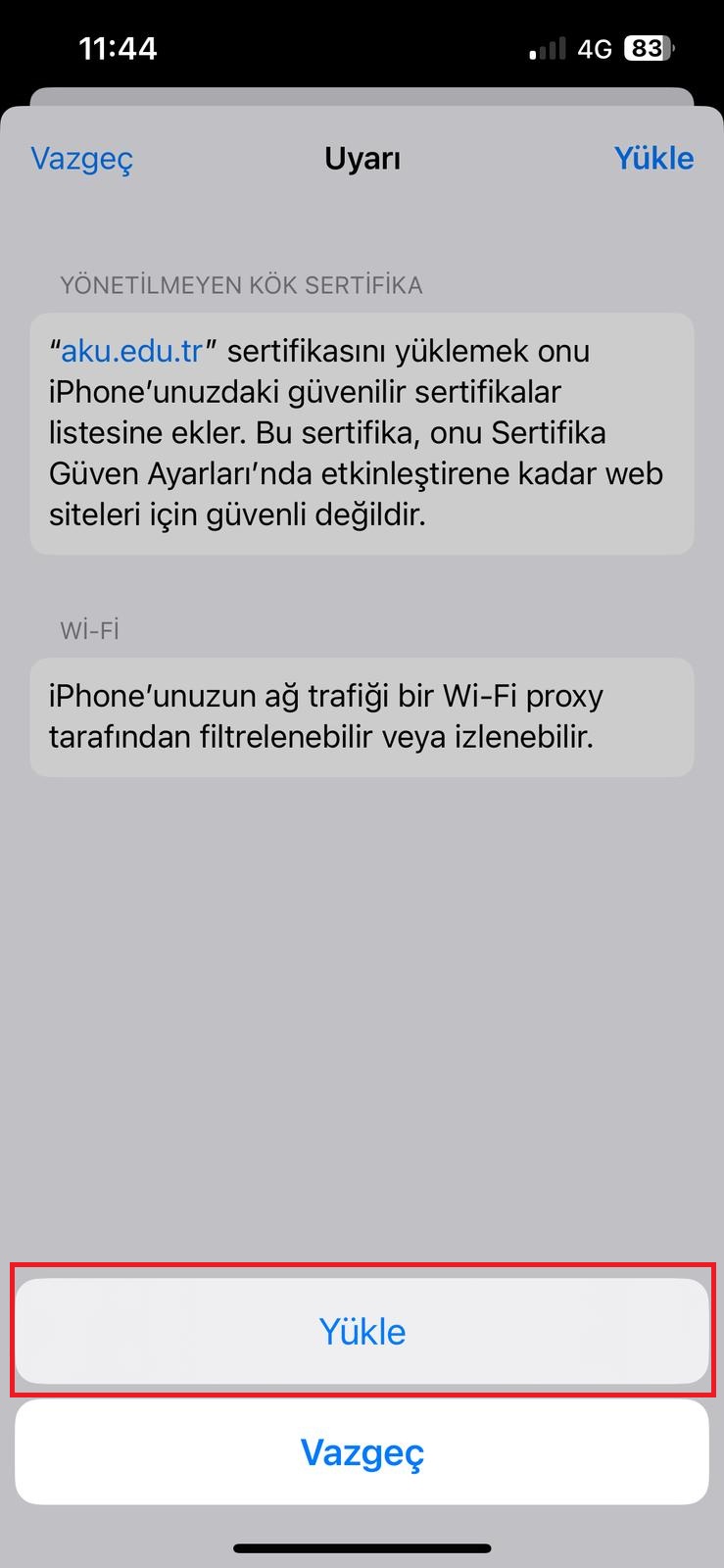
- On the warning screens, click the Install button again.
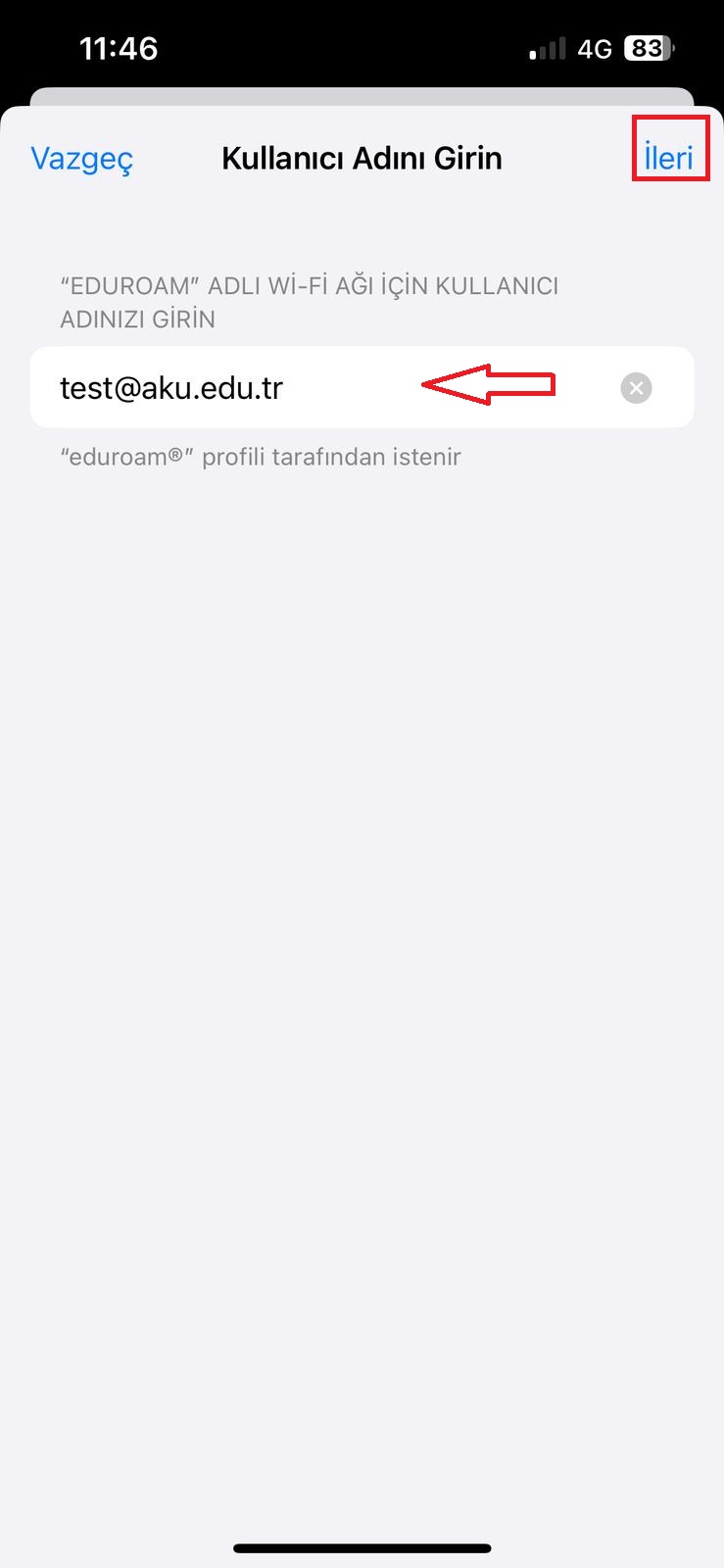
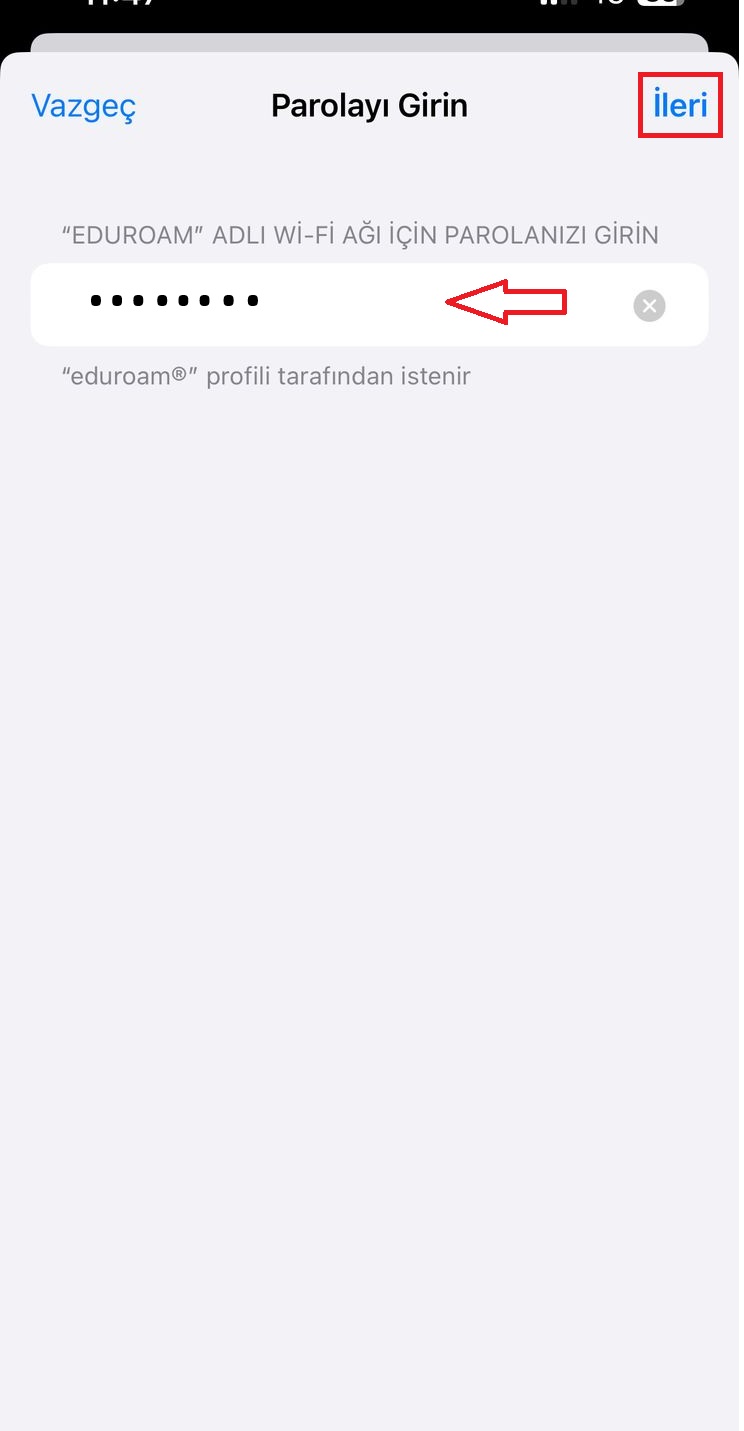
- Enter your username and password.
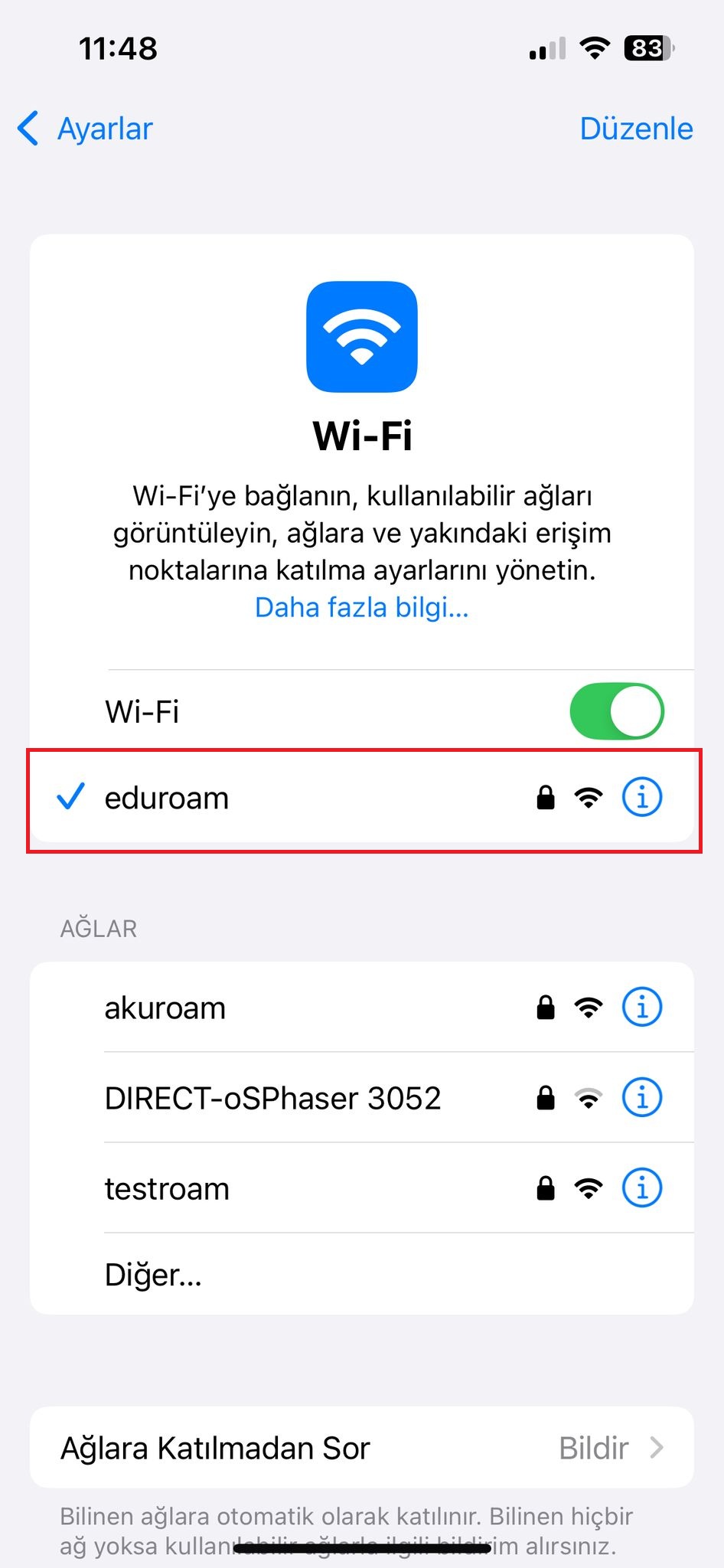
- Select the eduroam network from the Settings > Wi-Fi section.
Video Guide: CAT Profile Setup
If you experience connection issues, first delete the old profile, then try the setup again.
Setup with geteduroam
- Download the geteduroam app from the App Store.
- In the application, select Afyon Kocatepe University as the institution.
- Enter your username and password.
- Confirm the profile installation screens.
- Connect to the eduroam network from the Wi-Fi section.
Video Guide: geteduroam Setup
Installation Screenshots
On your iPhone or iPad, open Safari and go to cat.eduroam.org.
If you experience connection issues, first delete the old profile, then try the setup again.