macOS Installation
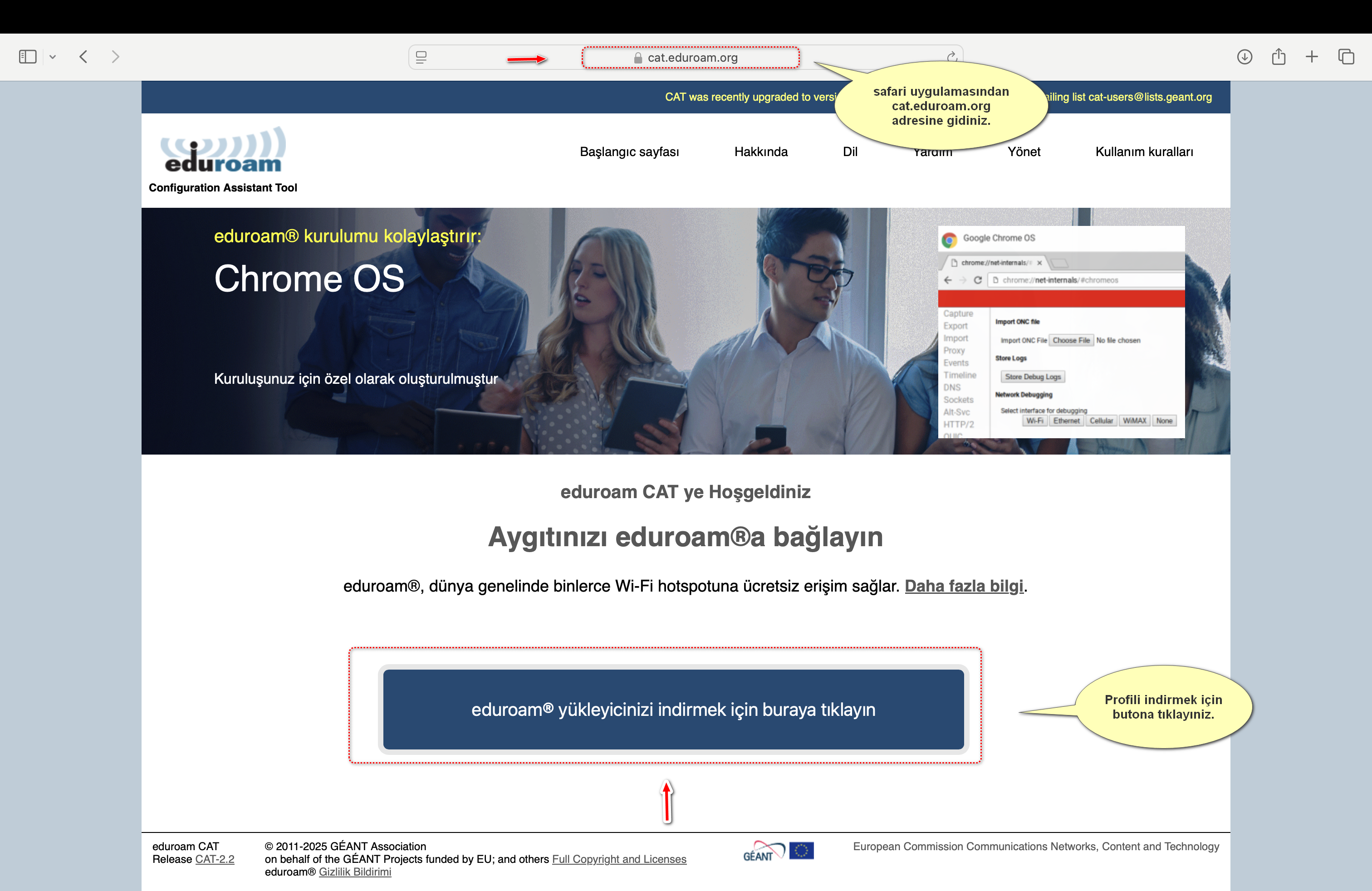
- Using the Safari browser, go to cat.eduroam.org.
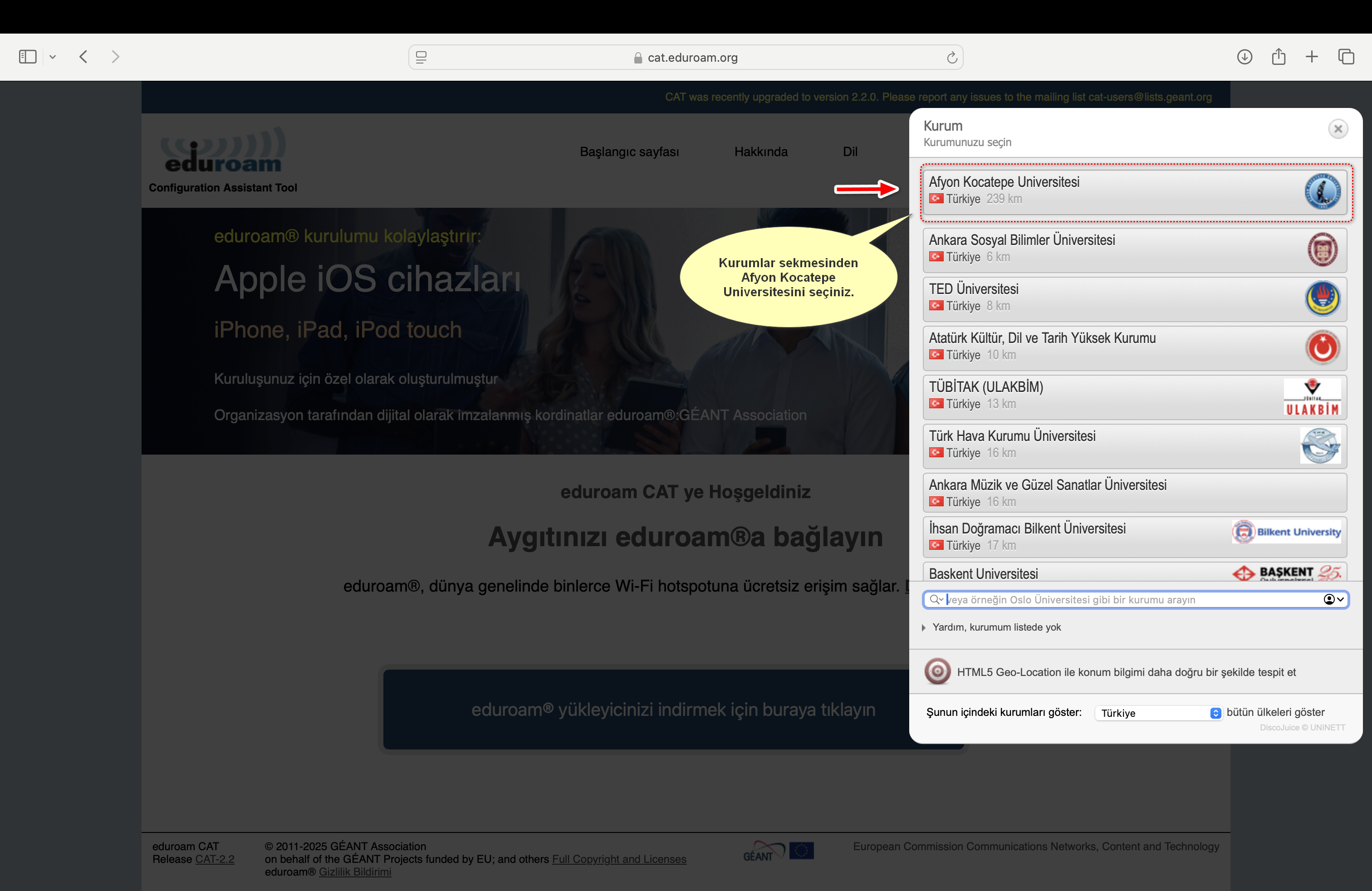
- Select Afyon Kocatepe University as the institution.
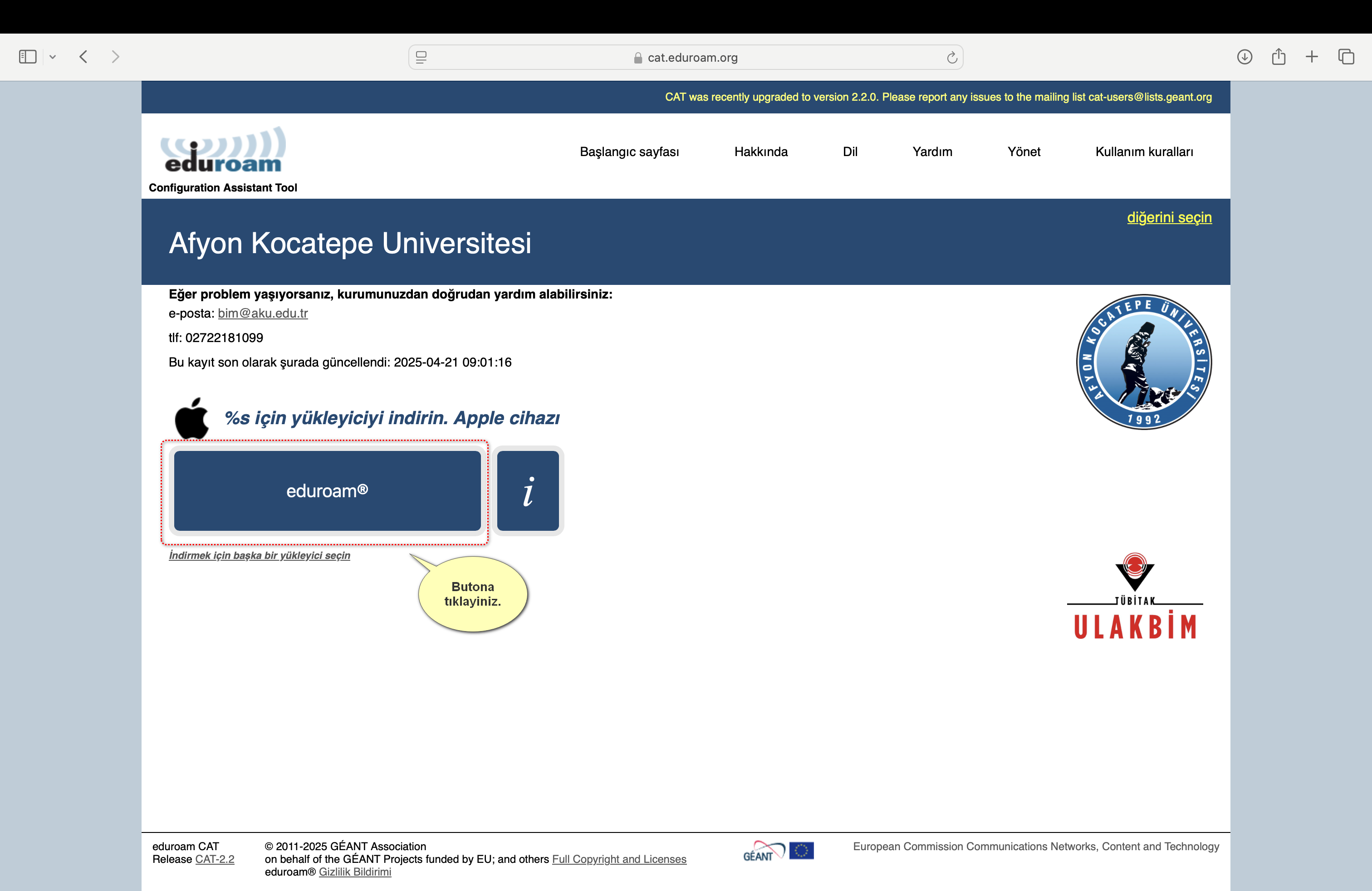
- Download the Apple/macOS profile.
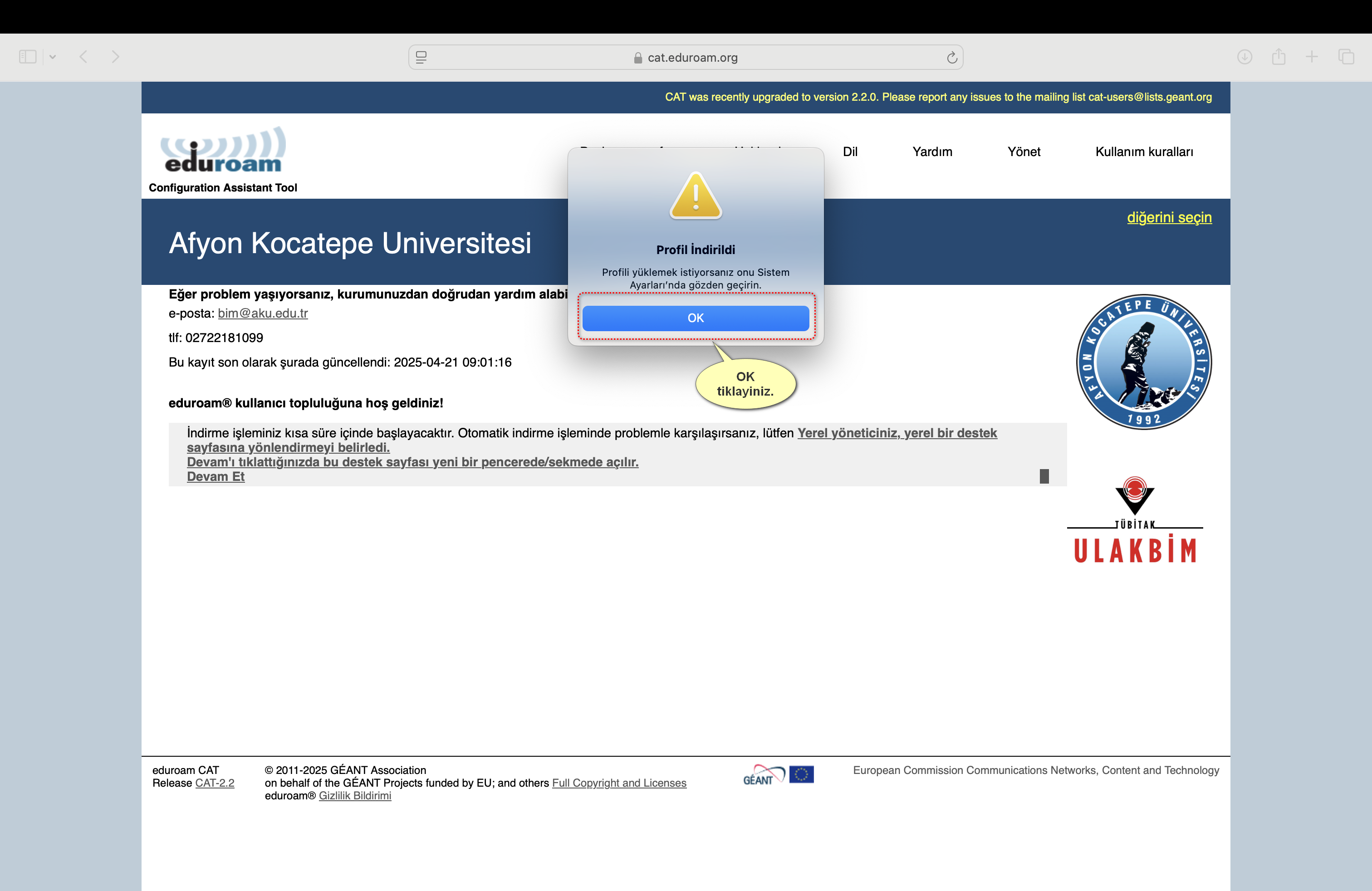
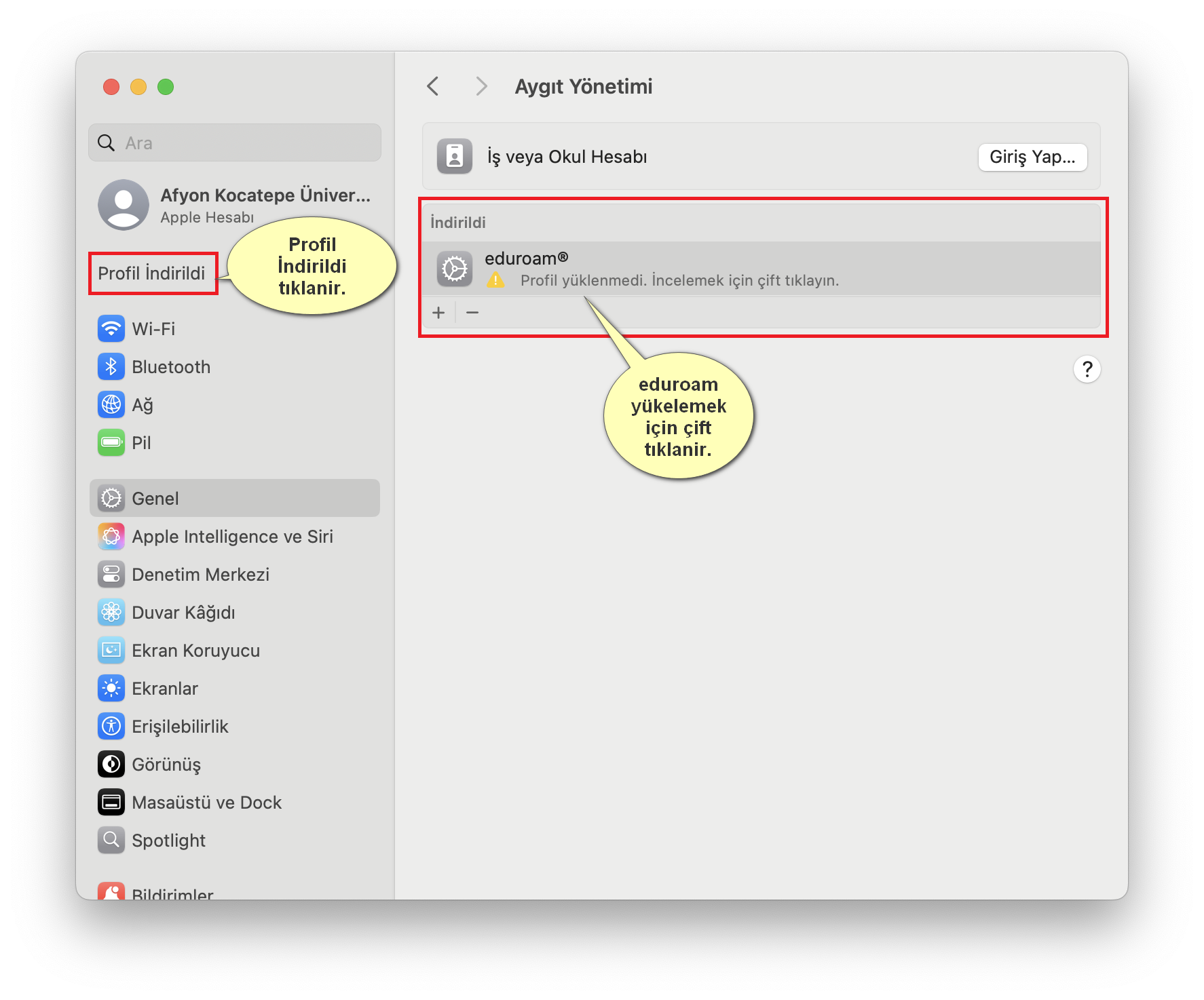
- If the downloaded profile does not open, go to System Settings > Privacy and Security > Profiles.
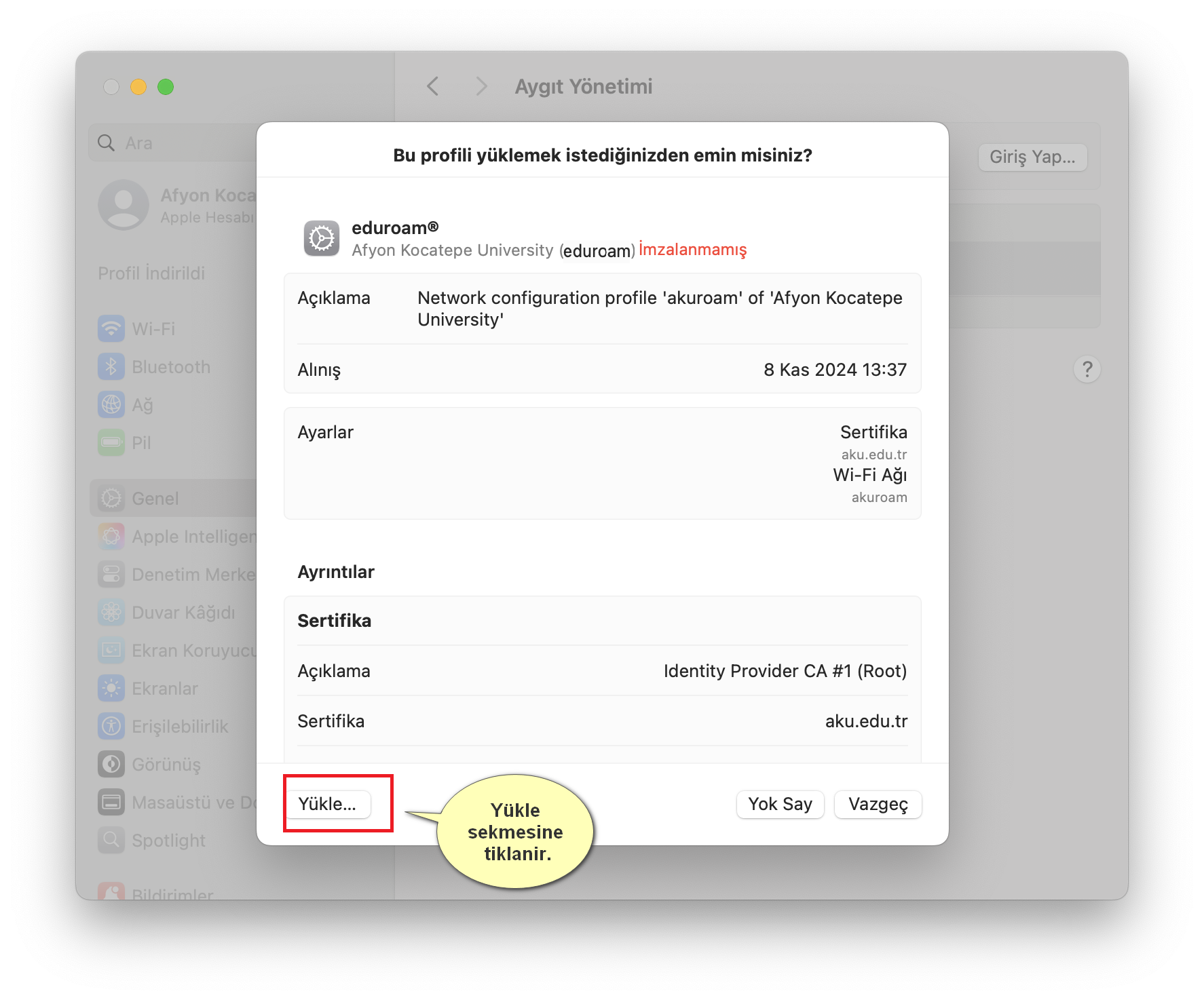
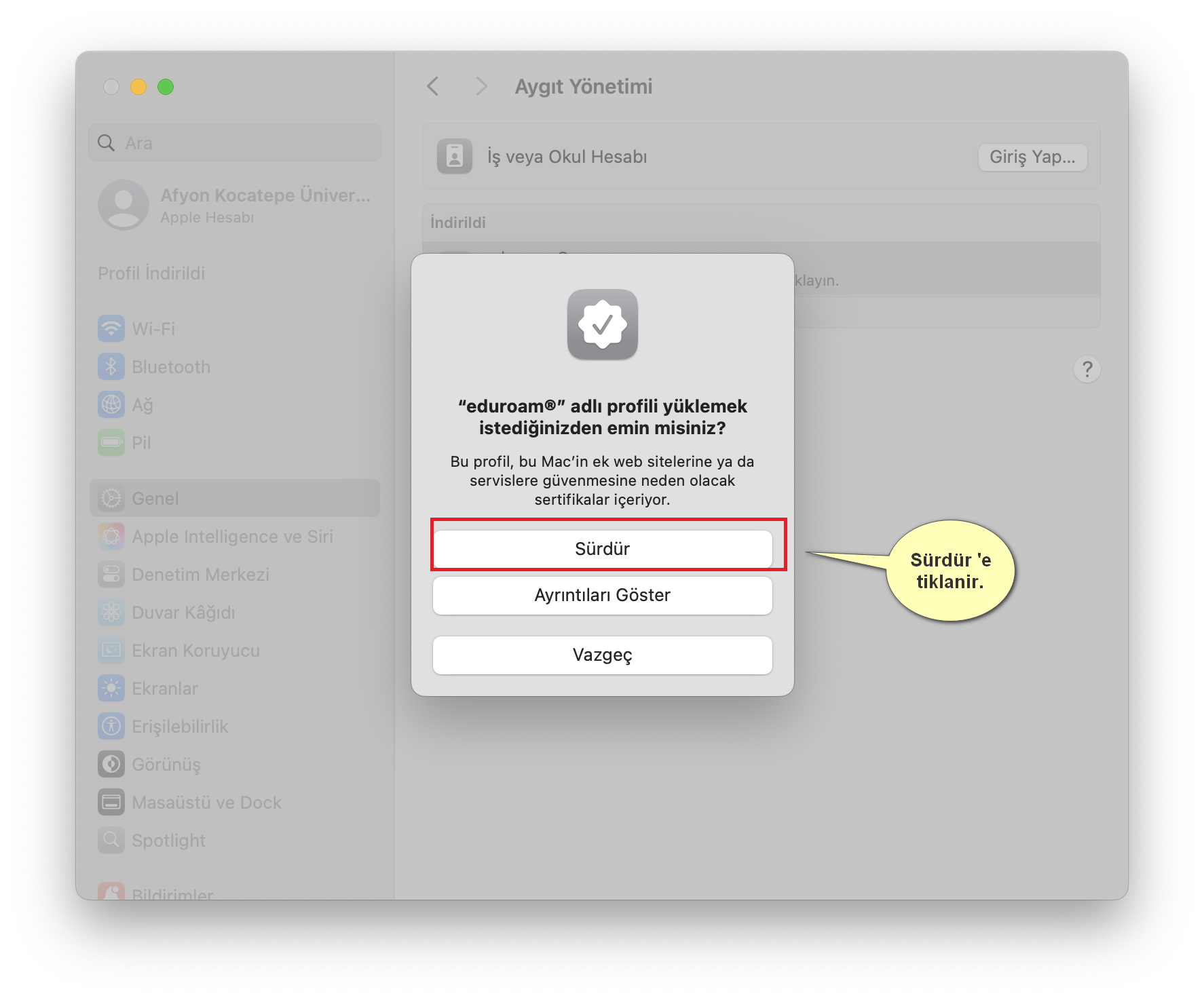
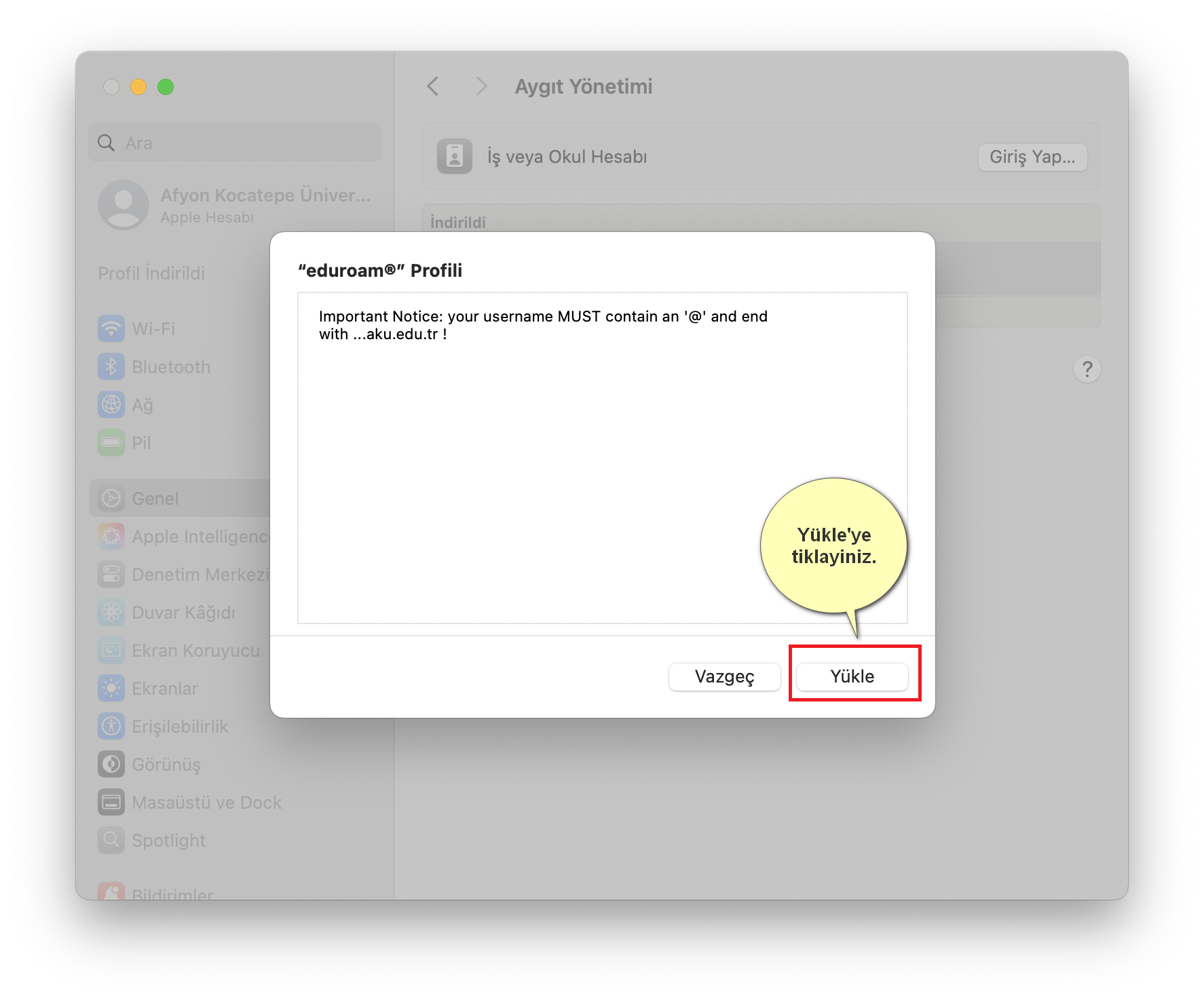
- Select the eduroam profile and click the Install button.
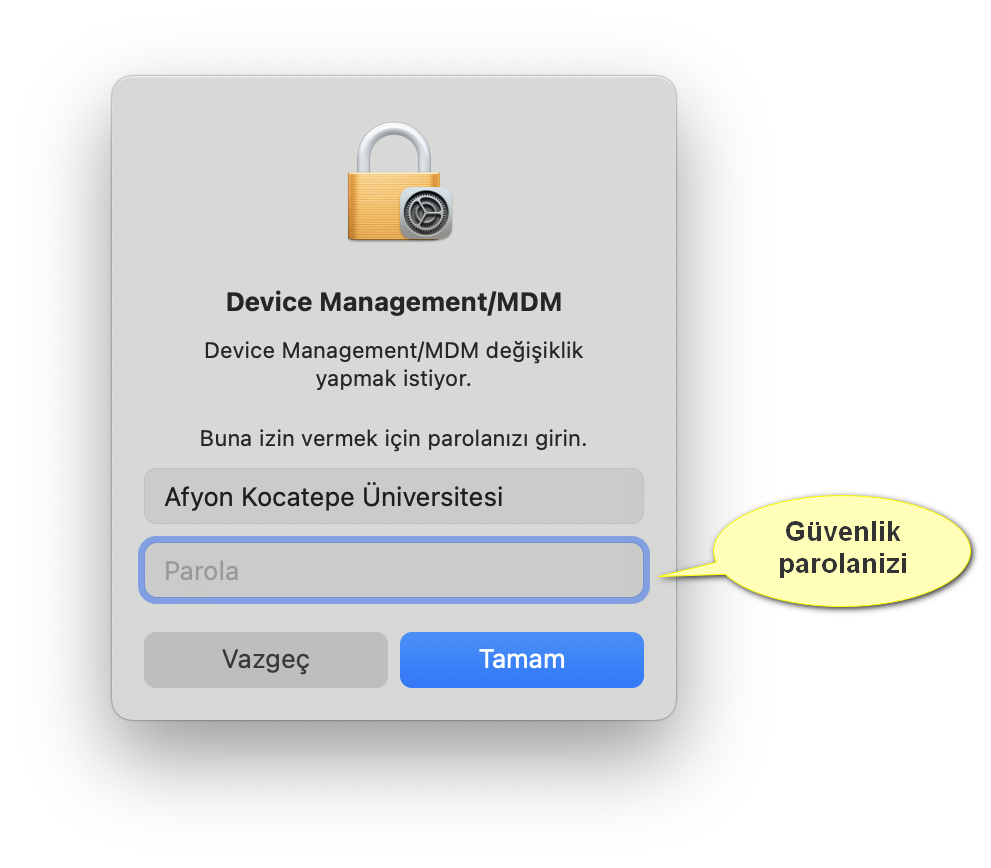
- If prompted, enter your Mac user password.
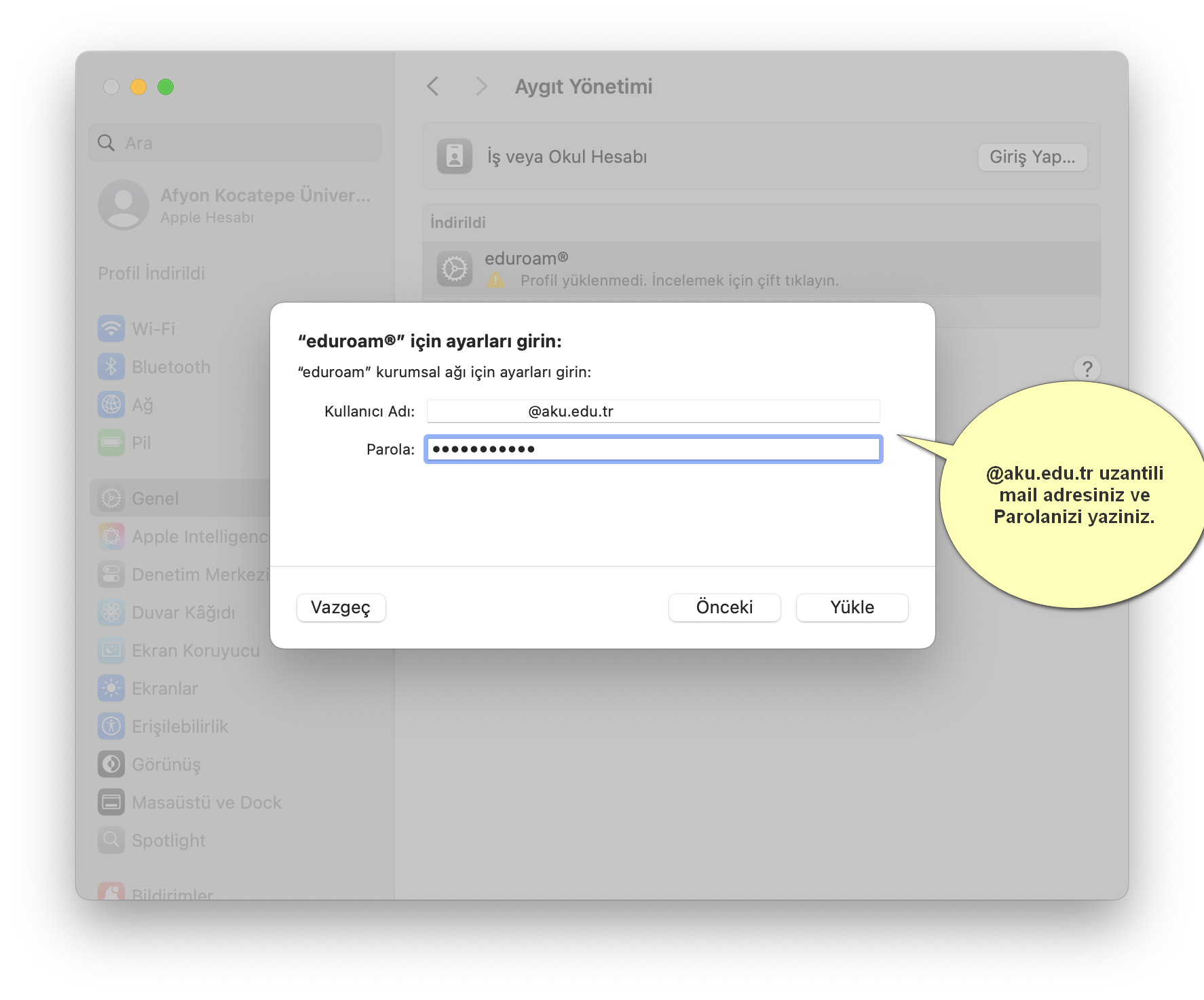
- Enter your eduroam username and password.
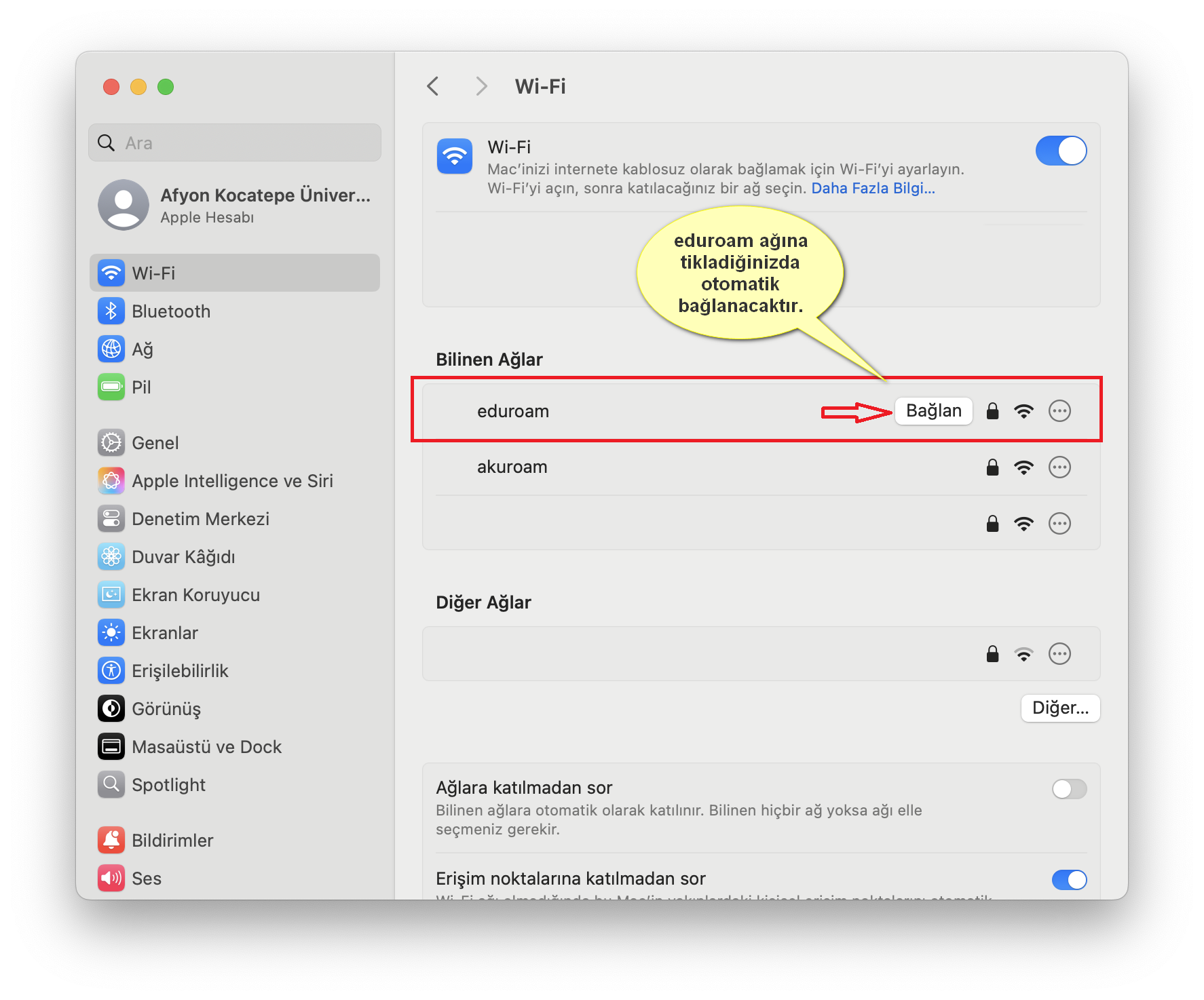
- Select the eduroam network from the Wi-Fi menu.
If the profile setup is not visible
Depending on your macOS version, the profile screen may be located in a different place. Search for “Profil” or “VPN ve Aygıt Yönetimi” in System Preferences.
If you experience connection issues, first delete the old profile, then try the setup again.
Installation Screenshots