Windows Installation
Setup with eduroam CAT
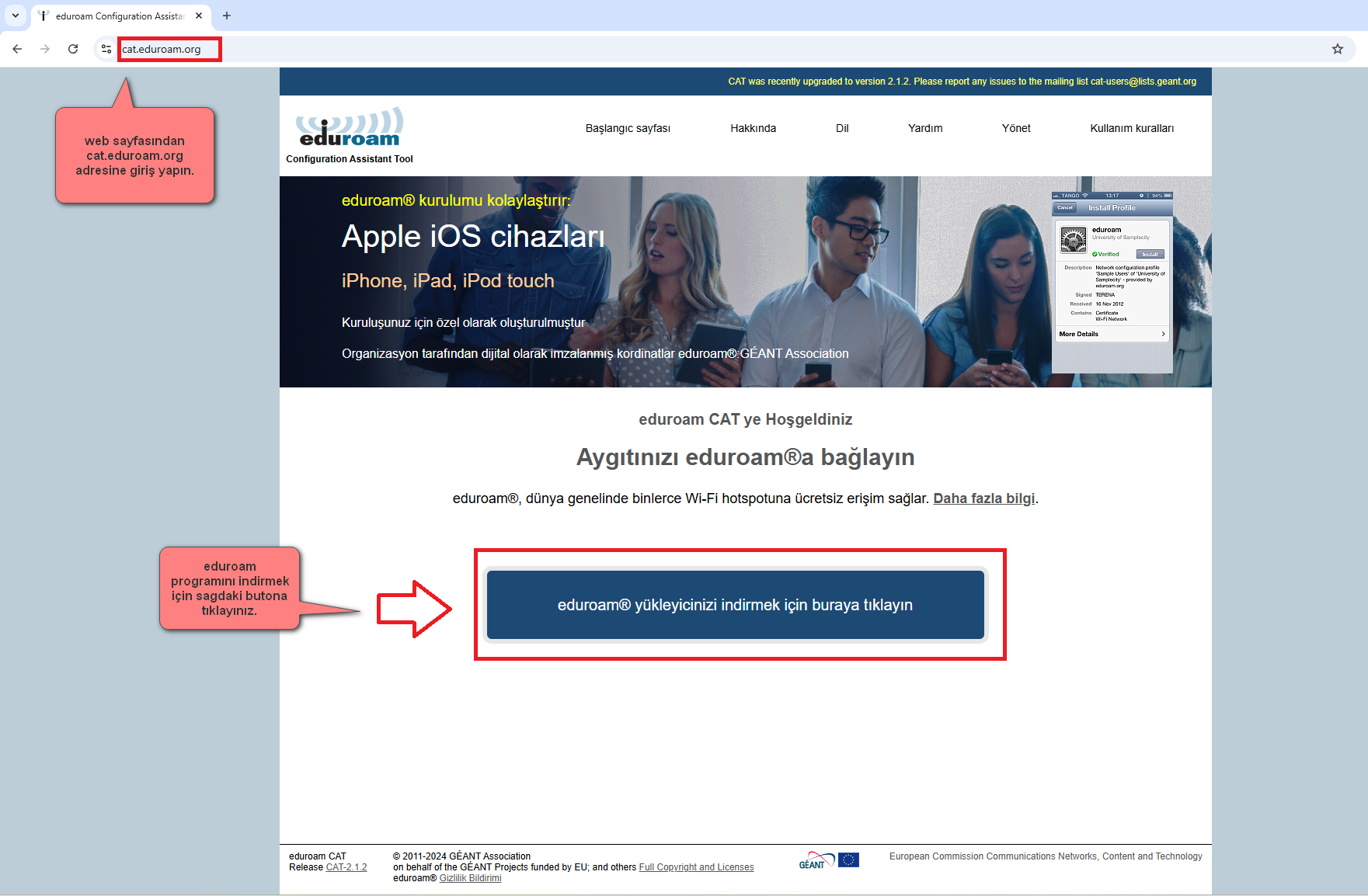
- Go to cat.eduroam.org.
- Click the Click here to download your eduroam installer button.
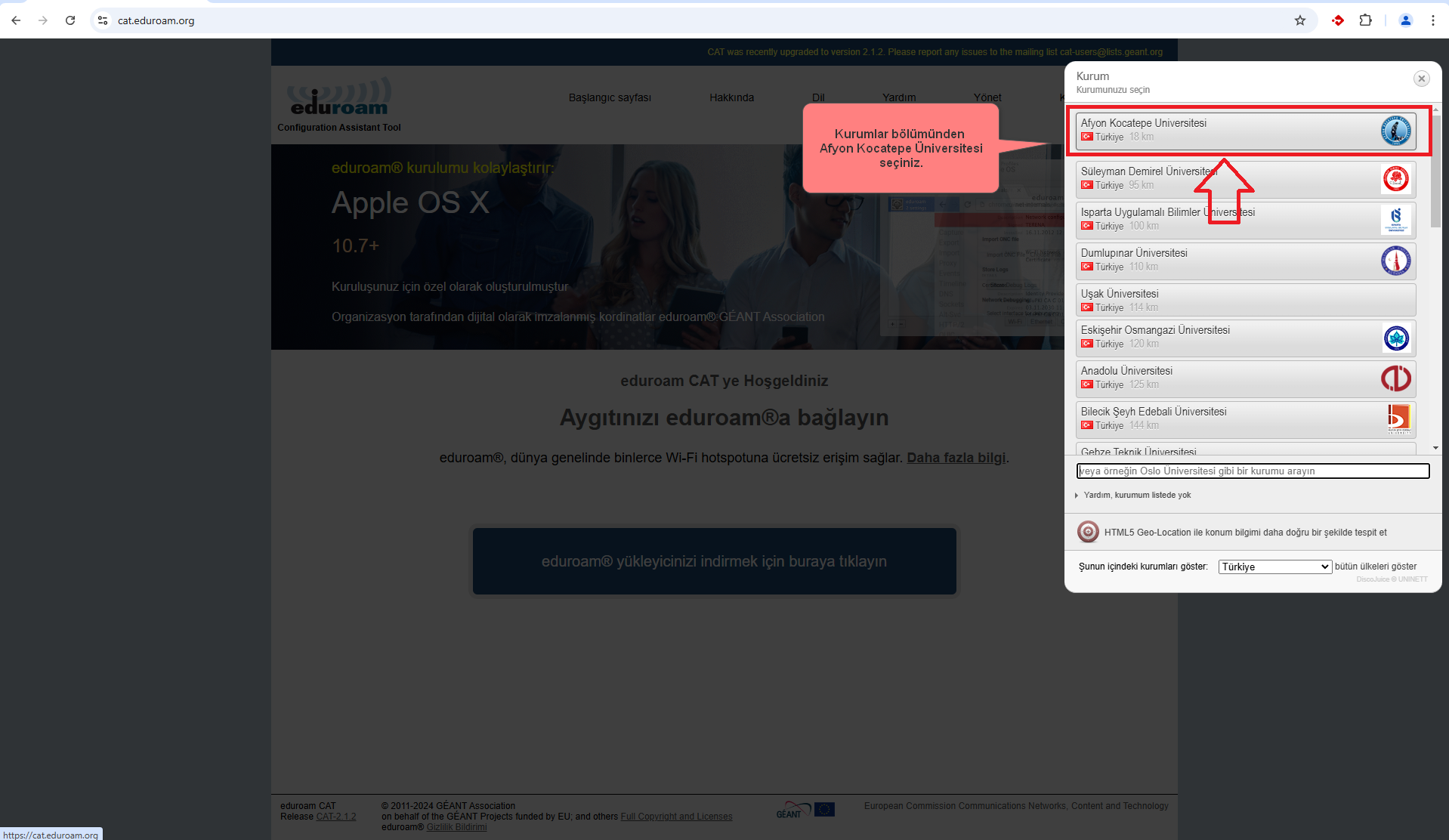
- Select Afyon Kocatepe University as the institution.
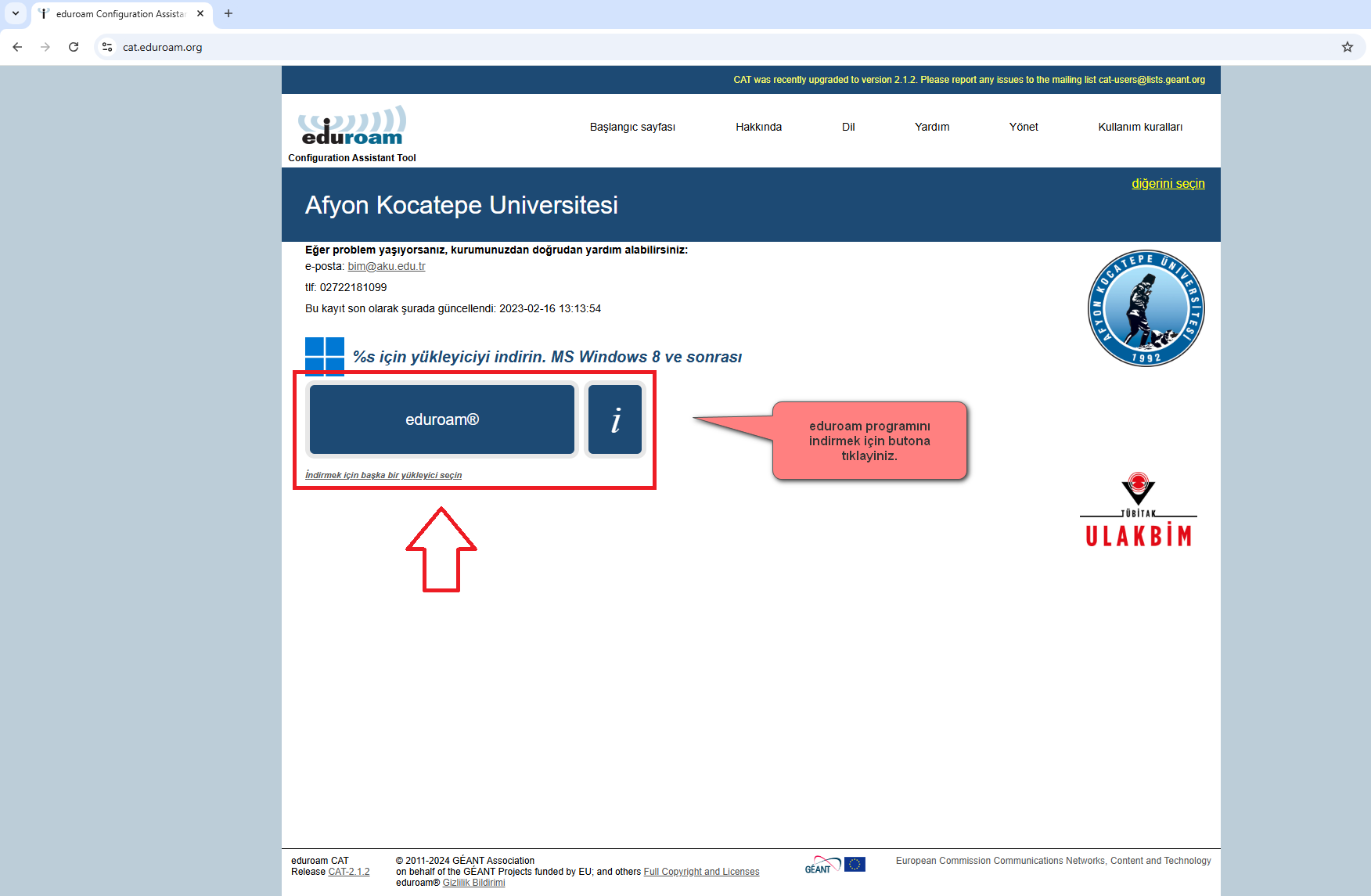
- Download the recommended installer for Windows.
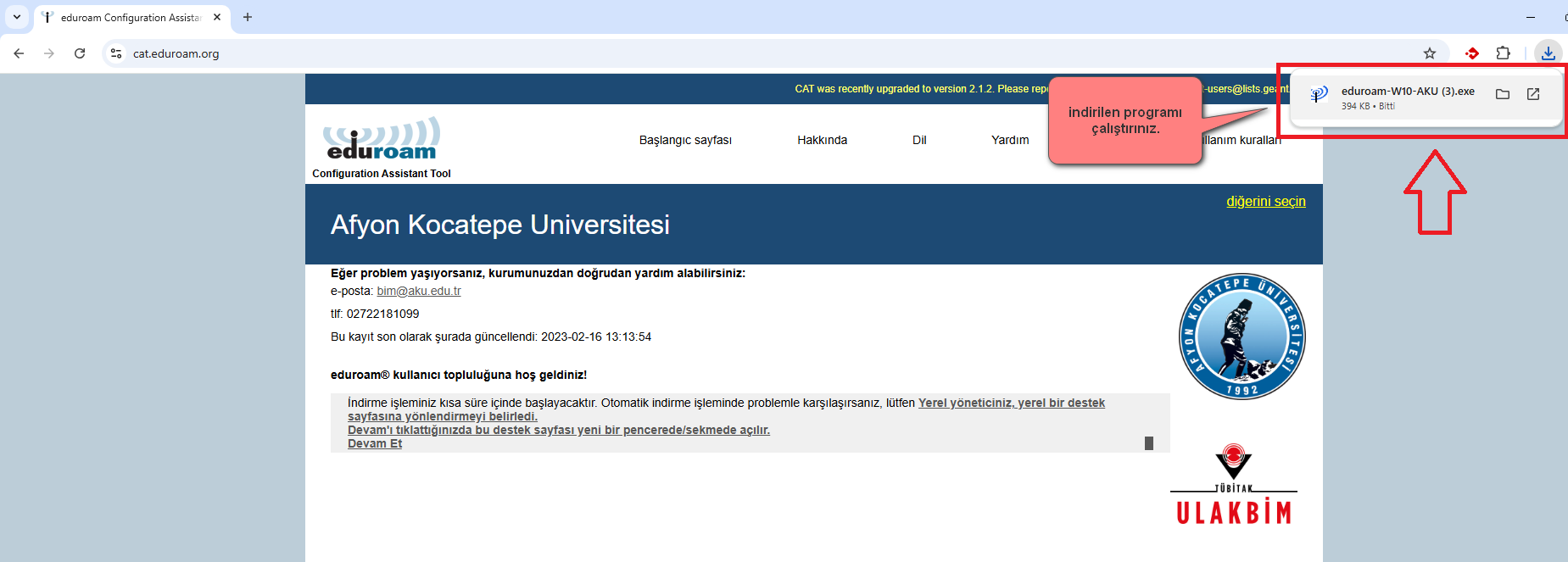
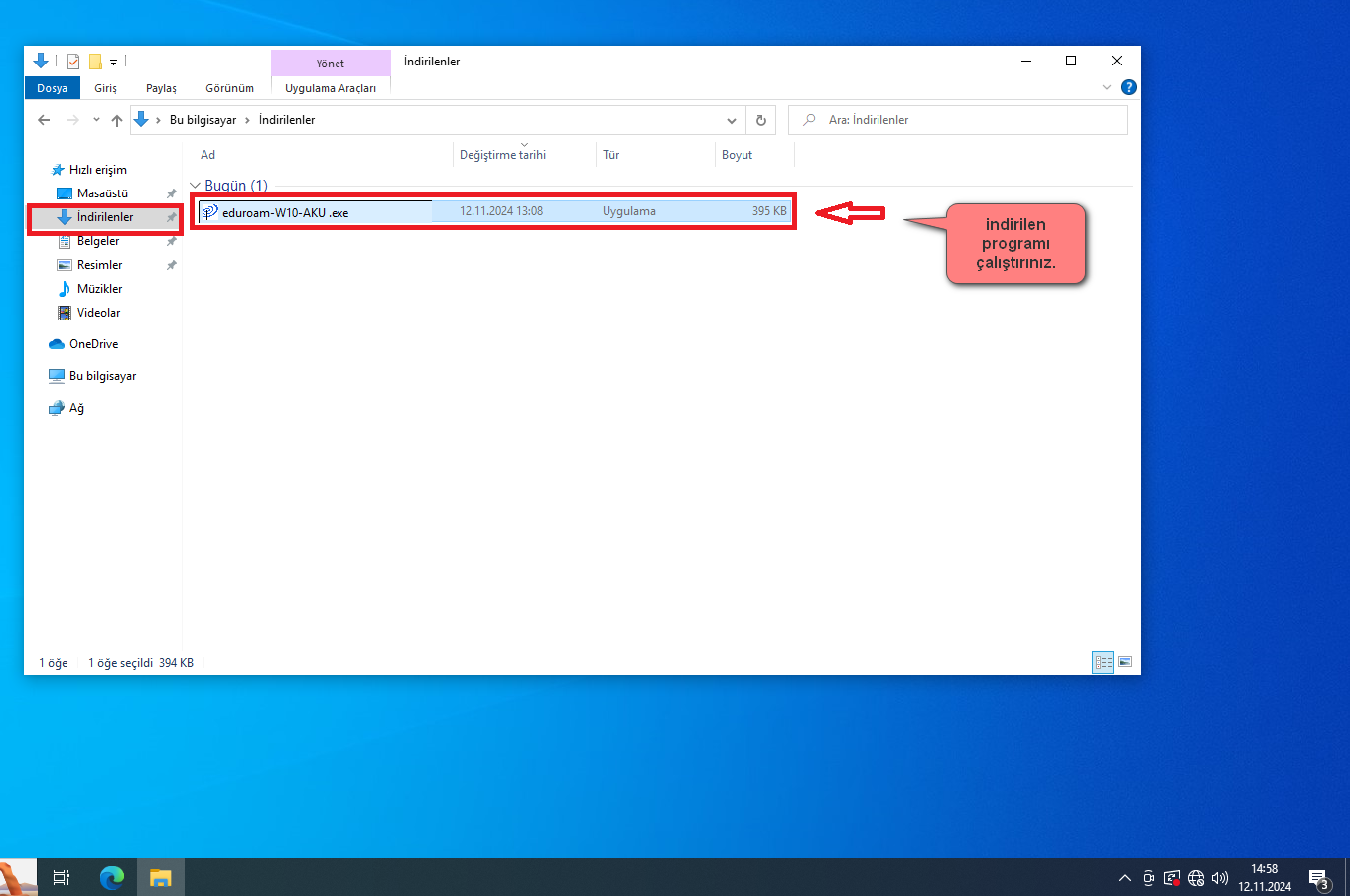
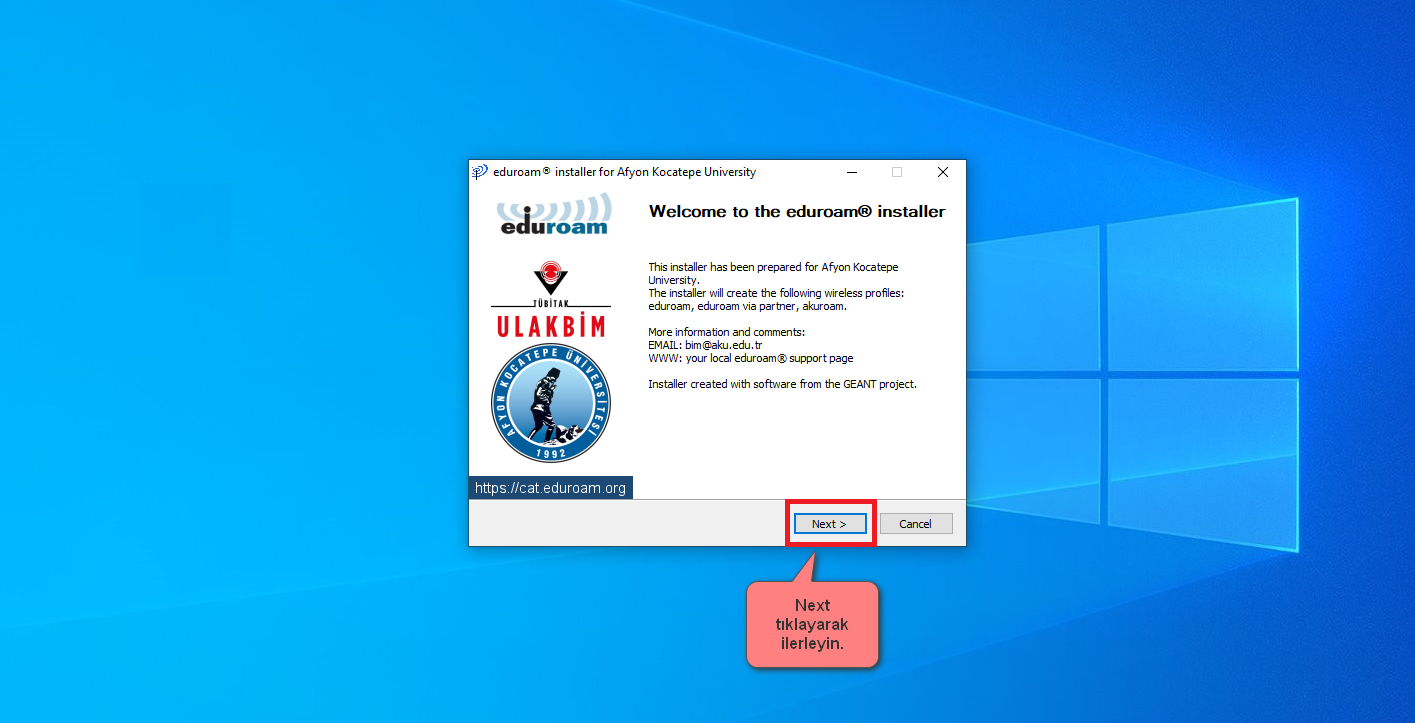
- Run the downloaded file.
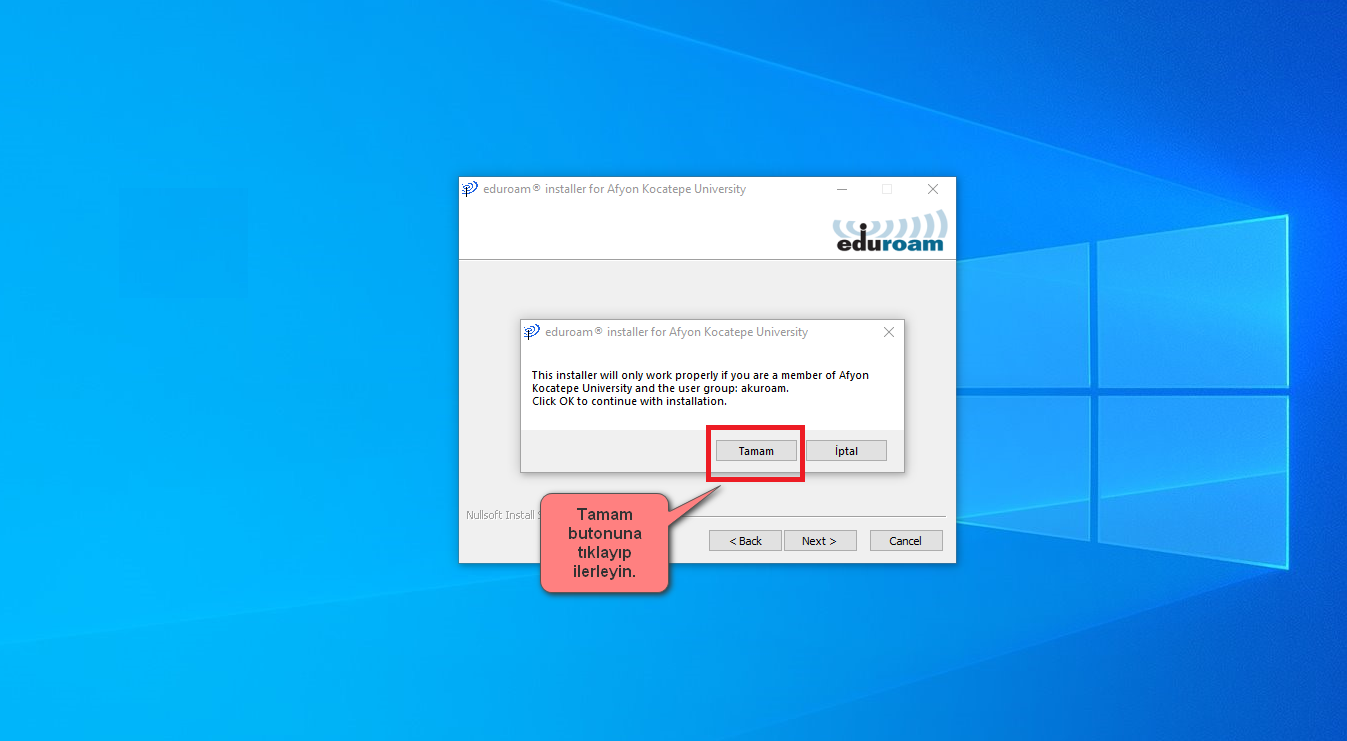
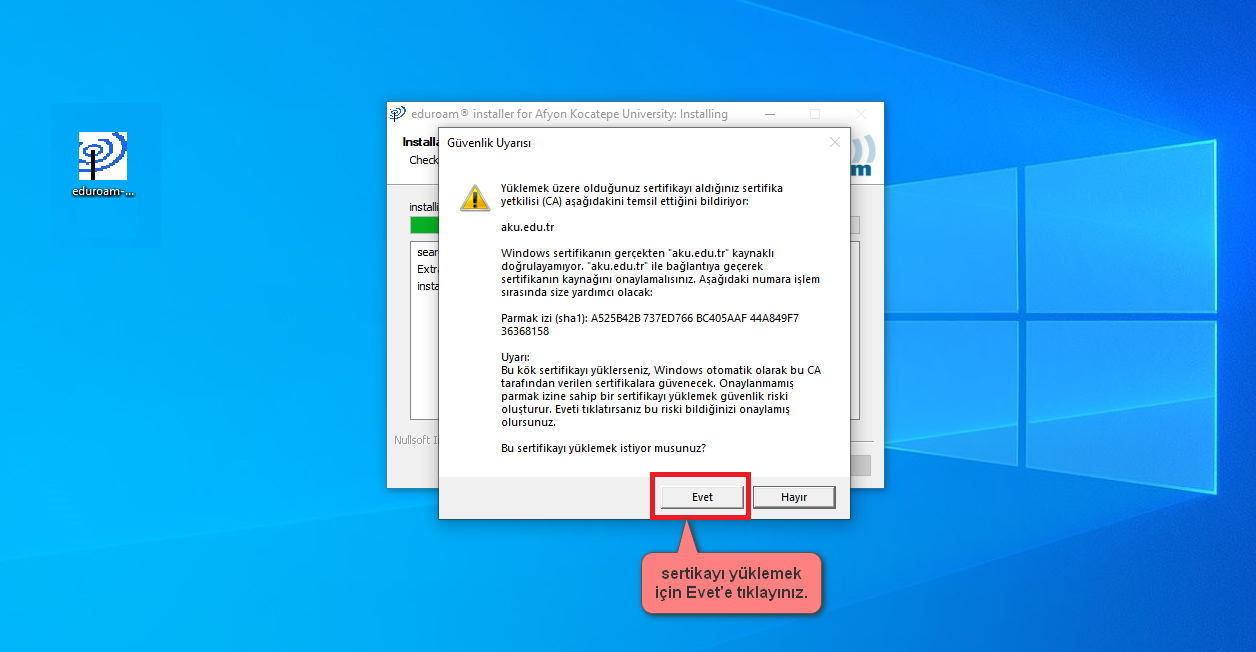
- If a security warning appears, verify that the file was downloaded via eduroam CAT and proceed.
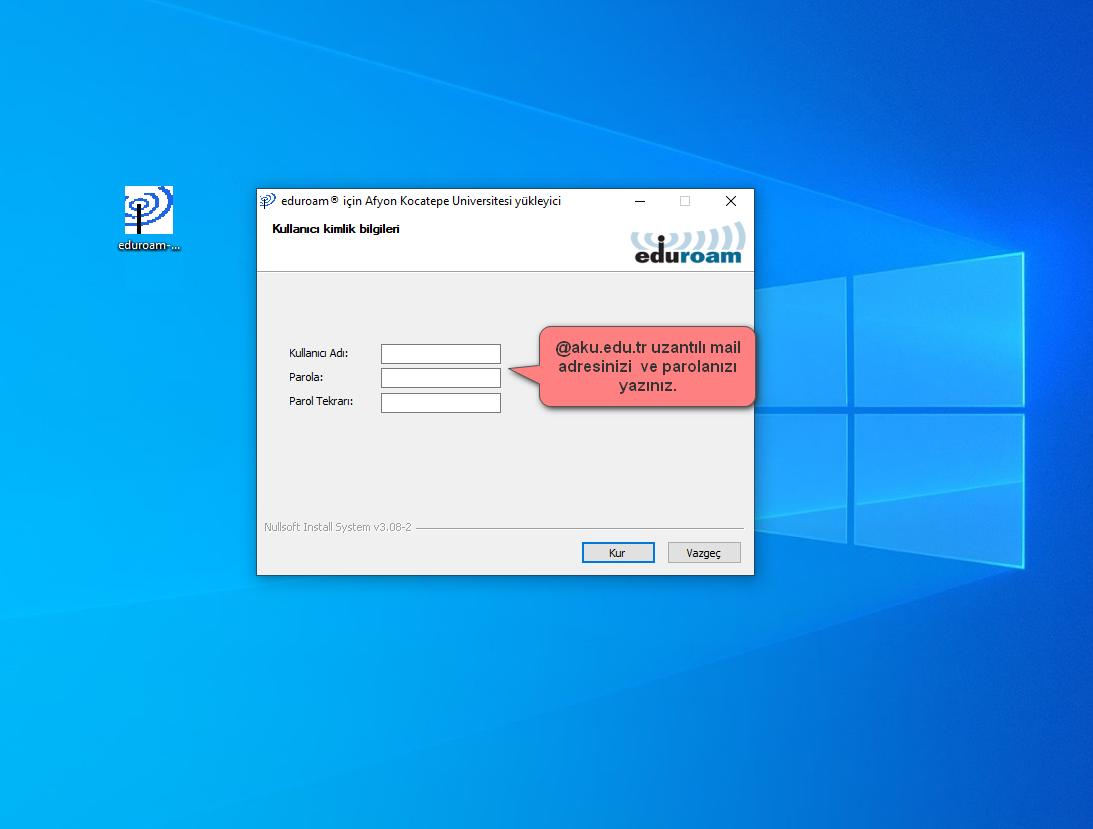
- Enter your username and password.
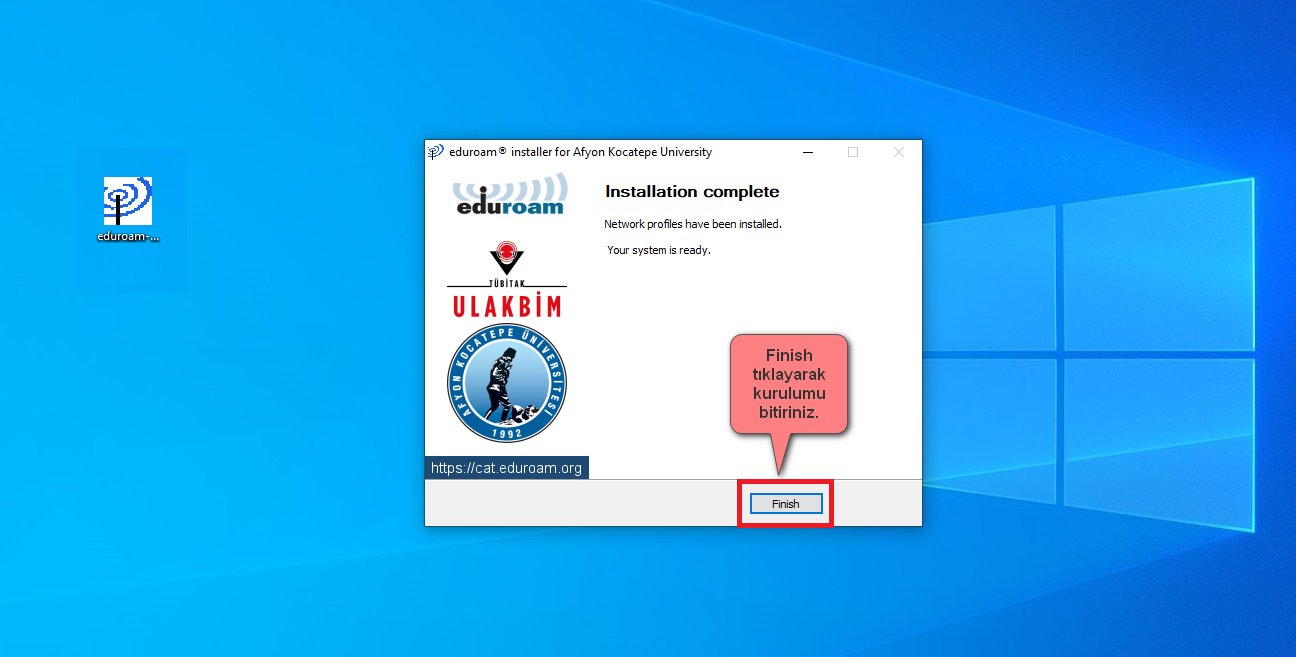
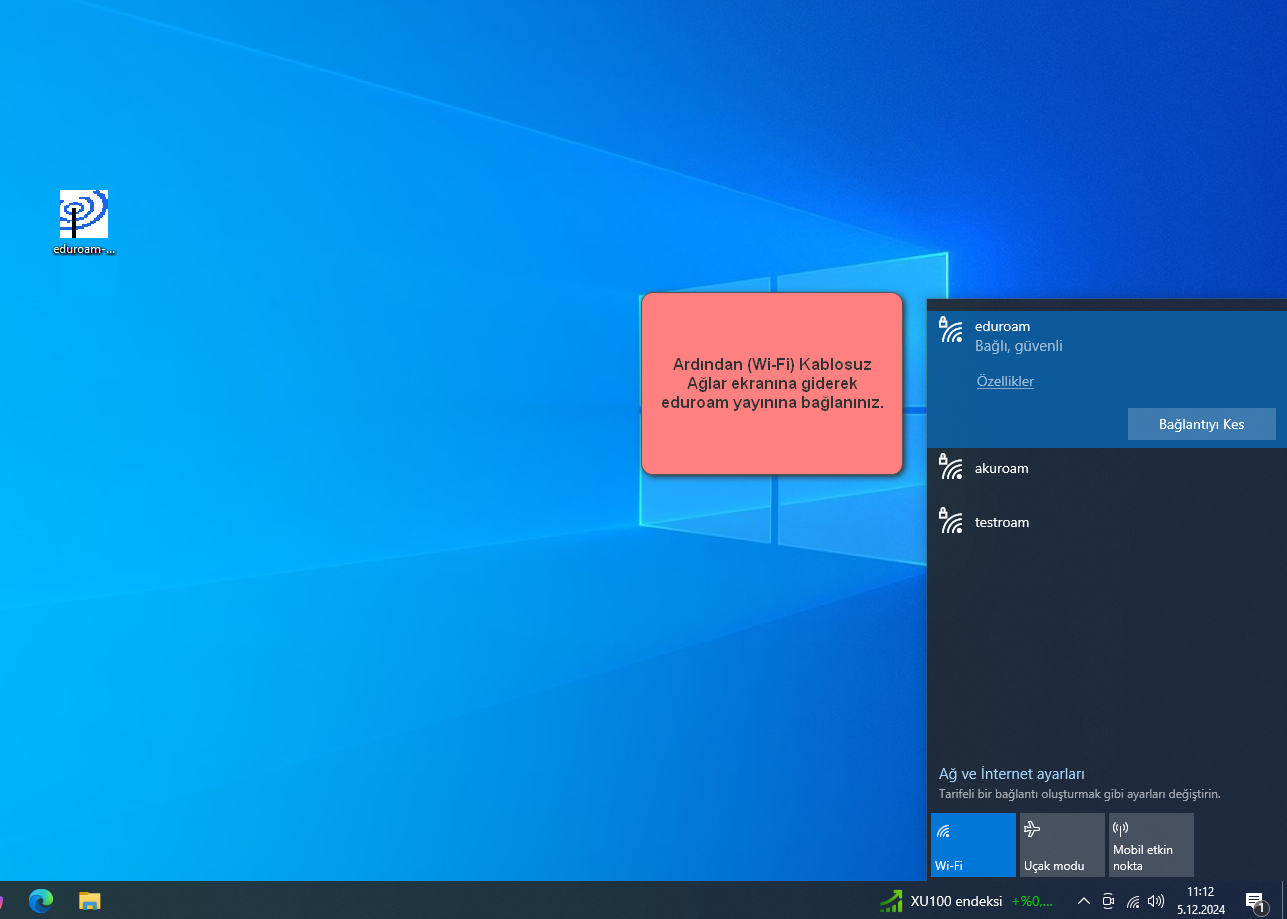
- Once the setup is complete, select the eduroam network from the Wi-Fi list.
If you experience connection issues, first delete the old profile, then try the setup again.
Installation Screenshots